Introduction
Use this guide to replace your MacBook Pro's heat sink. Before reinstalling the heat sink, it is essential to apply a new layer of thermal paste.
What you need
-
-
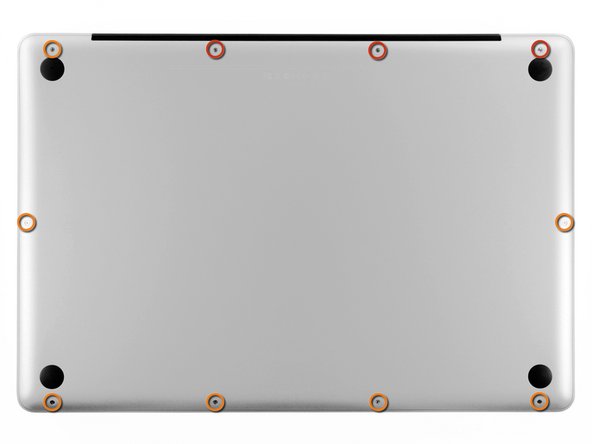
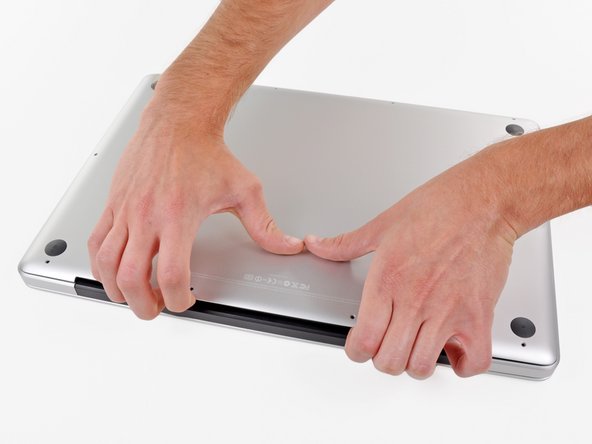
Remove the following ten screws securing the lower case to the upper case:
-
Three 13.5 mm Phillips screws.
-
Seven 3 mm Phillips screws.
-
-
-
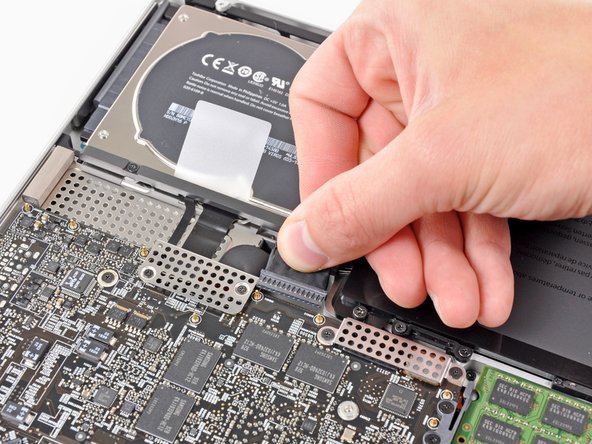
If present, grab the plastic tab attached to the battery connector and pull it toward the front edge of the device. For Late-2011 models the battery connector will not have a tab and is simply a plug that inserts straight down into the motherboard--to remove pry the plug straight up.
-
-
-
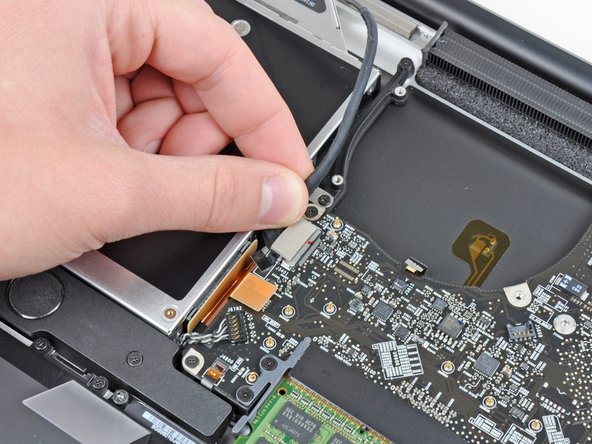
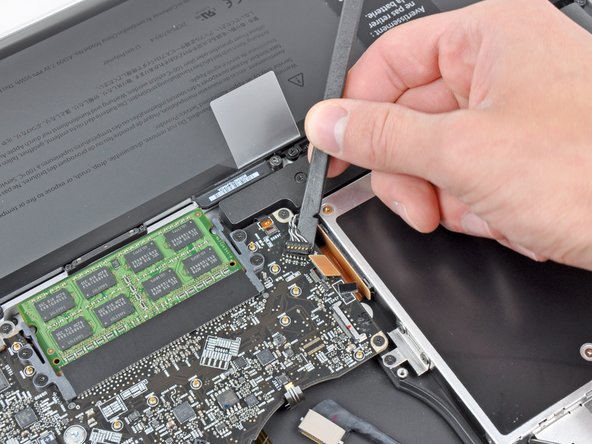
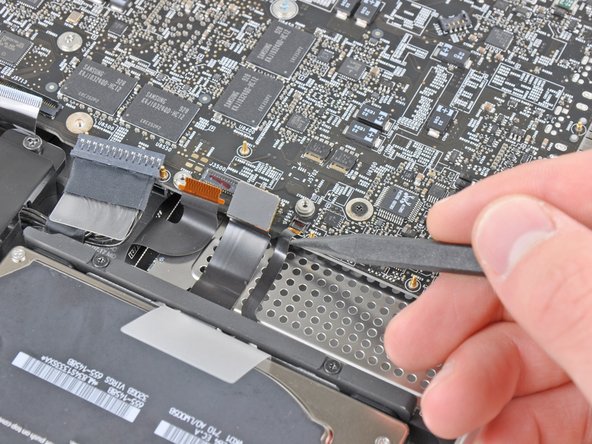
Use the flat end of a spudger to lift the right fan connector out of its socket on the logic board.
-
-
-
Use the flat end of a spudger to lift the left fan connector out of its socket on the logic board.
-
-
-
-
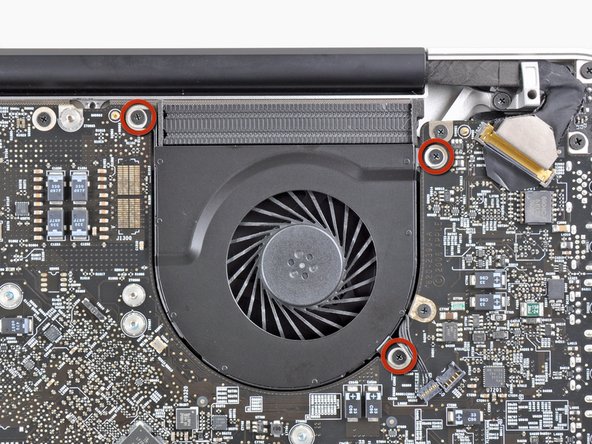
Remove the eight 8.3 mm Phillips screws securing the heat sink to the logic board.
-











To reassemble your device, follow these instructions in reverse order.
To reassemble your device, follow these instructions in reverse order.
Cancel: I did not complete this guide.
33 other people completed this guide.


10 Comments
After compleating this repair , my mac had the normal hard drive noise then a chime did not even grey screen . almost instantly I smelt fire and saw smoke pouring out of the case.. maac was on battery at the time .. I opened it up and disconected the battery and then I saw the video display cable (Step 21 ) it had glowing embers on the tape and tottally melted one side of it ... the connector to the logic board has black marks , but i do not know if the damage is extened to the logic board or if I can get away with a new dispay data cable , dont even know where to source one here in NZ .. any help would be great
I completed this guide. When I finished the macbook would not turn on => PANIC
I went over and the problem was the keyboard cable. The Step 17 is a little difficult in reverse. Pay special atention at the correct position of the keyboard ribbon cable.
It was a little scare. Otherwise all perfect! Thank you very much!
Successfully changed the thermal paste by following this guide. My MacBook Pro had some issues after I put it back together because of loose and improperly seated cables. In my case, the display cable wasn't seated properly and the IR-sensor cable was loose. So if your machine doesn't turn on, or something seems to be working incorrectly, it's definitely worth double checking the cables.
did changing the thermal paste lower your temps? what was it before, what is it now? thanks for sharing.
B S -
Yes B S, the temps will be lower. Apple is known to put only a tiny amount or bad quality thermal paste on their machines, so even is a Mac is brand new, temperatures will be better if the thermal paste is replaced. I have replaced thermal paste on numerous computers and have never regretted it :)
Tsaku -
