Introduction
Accessing the RAM in this computer is straightforward and requires minimal disassembly.
What you need
-
-
Remove the following ten screws securing the lower case to the upper case:
-
Three 13.5 mm (14.1 mm) Phillips screws.
-
Seven 3 mm Phillips screws.
-
-
-
-
Release the tabs on each side of the RAM chip by simultaneously pushing each tab away from the RAM.
-
After the RAM chip has popped up, pull it straight out of its socket.
-


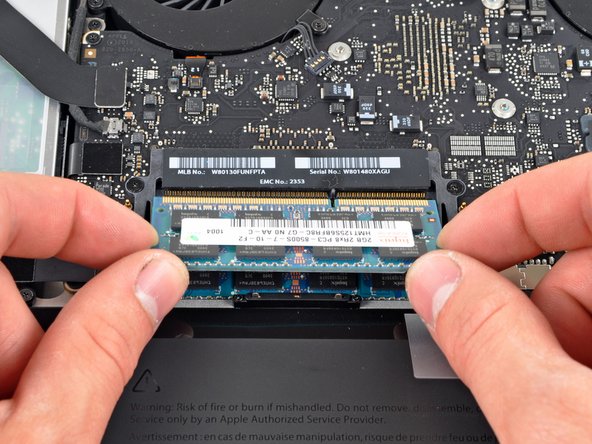
To reassemble your device, follow these instructions in reverse order.
To reassemble your device, follow these instructions in reverse order.
Cancel: I did not complete this guide.
227 other people completed this guide.


4 Comments
Step 3
Could not get ram to lock in correctly. Verified twice that it was the correct part but when installed i get a beeping sound on reboot and nothing else. Any suggestions?
Has ANYONE decided to hotrod the ram by upgrading it to 16gig? It says not to do it but doesn't say WHY. And with mine already running an SSD. I want to hot rod this baby as much as possible. I don't mind the 8gig that it has now but I do video work and could use the extra 8gig's.
According to this, the CPUs in the Mid2010 MBP only support up to 8 GB
2.66 Ghz i7: http://ark.intel.com/products/43560/Inte...
2.53 Ghz i5: http://ark.intel.com/products/43544/Inte...
casthle -
@Jeffrey no you cant hotrod those macbooks, the only one that can be hotrod in macbook pro range is the mid 2010 13in 2,4ghz duo core which is what i have and 2 minutes ago i have successfully upgraded to 16gb with no problems, yet to try out performance but it will be much better than the 4gbs i had previously.
