Introduction
Replace a faulty fan to keep temperatures down.
What you need
-
-
Remove the following ten screws securing the lower case to the upper case:
-
Three 13.5 mm (14.1 mm) Phillips screws.
-
Seven 3 mm Phillips screws.
-
-
-
-
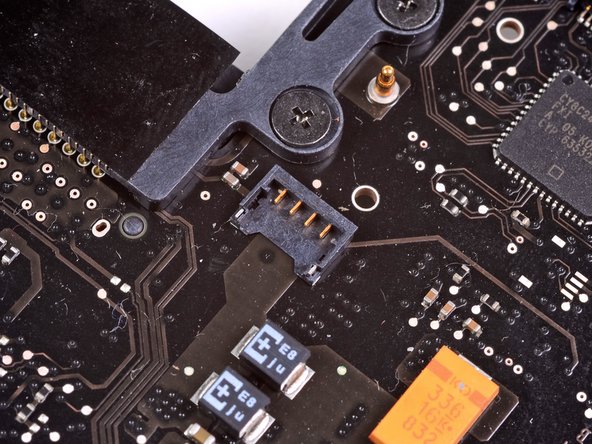
Remove the three 3.4 mm T6 Torx screws securing the left fan to the logic board.
-




To reassemble your device, follow these instructions in reverse order.
To reassemble your device, follow these instructions in reverse order.
Cancel: I did not complete this guide.
95 other people completed this guide.


7 Comments
The left fan was making hideous growling and screeching noises and the unit was overheating. Replacement was pretty easy with the right tools, which I had already purchased from iFixit. New fan works great and the unit now runs VERY much cooler...!
After I had finished installing a new left fan, my mac (for whatever reason) refused to boot up. After turning on, the screen would just show the white background with the grey apple logo, and the pinwheel cursor spinning. After resetting the SMC and NVRAM, however, I booted up right away. Thanks, iFixIt! This was my first time for a DIY Mac repair and you couldn't have made it any easier.
Just did this replacement. My left fan was totally shot, making the grinding noise etc even after cleaning it with compressed air. My computer is running almost 50 degrees celsius cooler. Its AWESOME
the only tricky bit is the sprudger / re attaching the fan's connector. So worth it. Thanks!
Consulta.. cambie la pasta termina del disipador estaba re seca fue fácil, peroooo cuando desconecté el cable del cooler se salió entero el conector la ficha de la placa madre, se ve q con tanto calor q tiraba la compu estaban ambas partes plásticas soldadas y se salió todo de una, a otros les paso lo mismo por eso apenas hice fuerza se desoldo de la placa
En una MacBook Pro 2010 eso se puede soldar si compro esa punta finita estación de soldado? Cómo se arregla tengo un único cooler..
Te agradezco mucho
Saludos
Just cleaned the dust from my Macbook and fans. Made a sprudger with some bamboo from an old kitchen utensil in my shop. I did precisely as you directed removed the fans, blew them clean as well as the heat sinks and voila it’s all good again. Thank you so much.
