Introduction
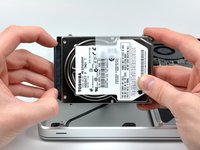
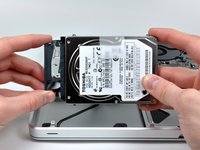
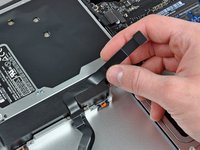
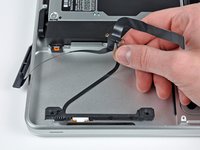
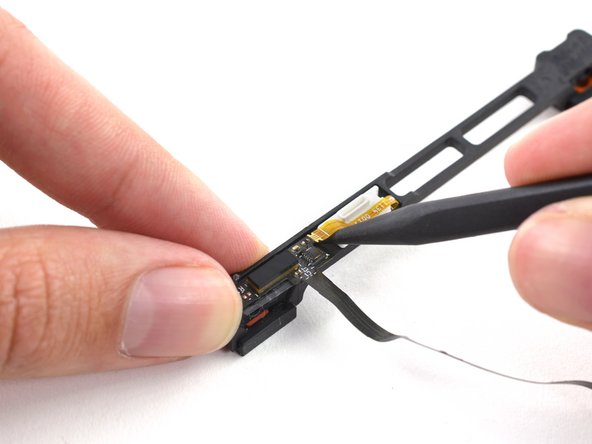
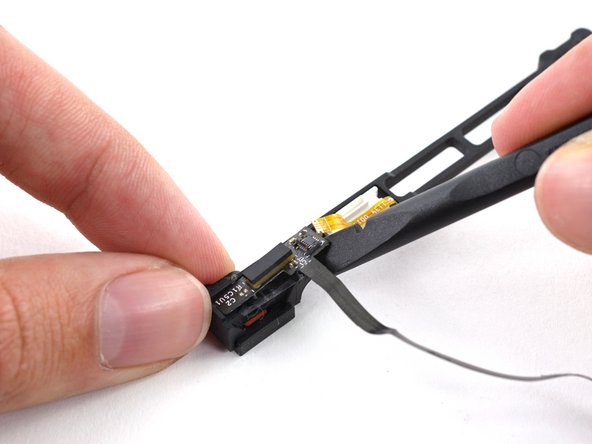
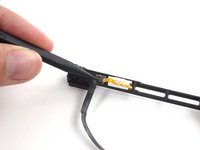
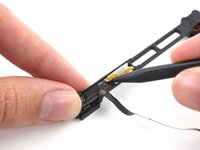
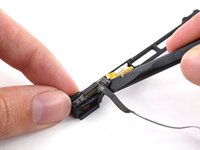
The hard drive cable includes the IR sensor/sleep indicator.
What you need
-
-
Remove the following ten screws securing the lower case to the upper case:
-
Seven 3 mm Phillips screws.
-
Three 13.5 mm Phillips screws.
-
-
Tool used on this step:P6 Pentalobe Screwdriver 2009 15" MacBook Pro Battery$5.49
-
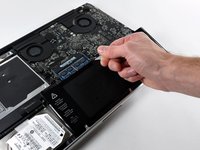
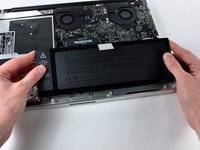
Remove the two 5-Point Pentalobe screws along the top edge of the battery.
-
-
-
-
Remove the two Phillips screws securing the hard drive bracket to the upper case.
-
Lift the the retaining bracket out of the upper case.
-
-
-
Remove the following four screws securing the hard drive and IR sensor cable to the upper case:
-
Two 1.5 mm Phillips screws.
-
Two 4 mm Phillips screws.
-







To reassemble your device, follow these instructions in reverse order.
Cancel: I did not complete this guide.
48 other people completed this guide.


3 Guide Comments
I found that the smaller cable branch to the IR sensor was glued down to the case. The new part (purchased from ifixit.com) didn't have a sticky backing so I carefully removed some of the sticky material from the original cable and stuck it to the new cable. This kept the cable in place when I replaced the hard drive. I could see how one might accidentally bend or fold the cable in a way that could damage it when placing the hard drive.
This guide made it really easy. It fixed my problem. Thanks!
I want to buy a hard drive cable but I live in Mozambique, how can I get it, because my country is not included?
