Installing MacBook Pro 15" Unibody Early 2011 Logic Board

Prerequisite Only

Prerequisite Only

Please note that this guide is only a prerequisite for other guides.

Logic Board prereq.

This guide is a prereq only.

Image #1

Add Note Edit Step 1 — Logic Board  ¶ 

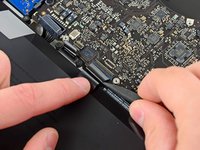
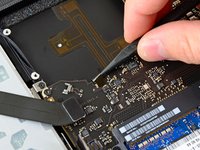
  • Use the flat end of a spudger to lift the right fan connector out of its socket on the logic board.

  • It is useful to twist the spudger axially from beneath the fan cable wires to release the connector.

Image #1 Image #2

Add Note Edit Step 2  ¶ 

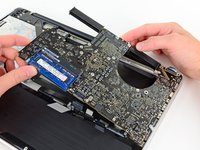
  • Remove the three 3.4 mm (3.1 mm) T6 Torx screws securing the right fan to the logic board.

  • Lift the right fan out of its opening in the logic board.

Image #1

Add Note Edit Step 3  ¶ 

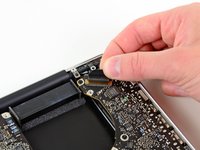
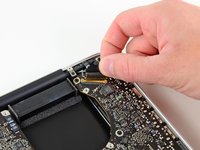
  • Pull the camera cable out of its socket on the logic board.

  • Don't lift upward on the camera cable as you disconnect it. Pulling upward on the cable may damage both the cable and the logic board. Pull the cable parallel to the face of the logic board.

Image #1

Add Note Edit Step 4  ¶ 

  • Use the flat end of a spudger to pry the AirPort/Bluetooth connector up from its socket on the logic board.

Image #1

Add Note Edit Step 5  ¶ 

  • Use the flat end of a spudger to lift the optical drive connector out of its socket on the logic board.

Image #1

Add Note Edit Step 6  ¶ 

  • Disconnect the hard drive/IR sensor cable from its socket on the logic board by lifting up from beneath its connector.

Image #1

Add Note Edit Step 7  ¶ 

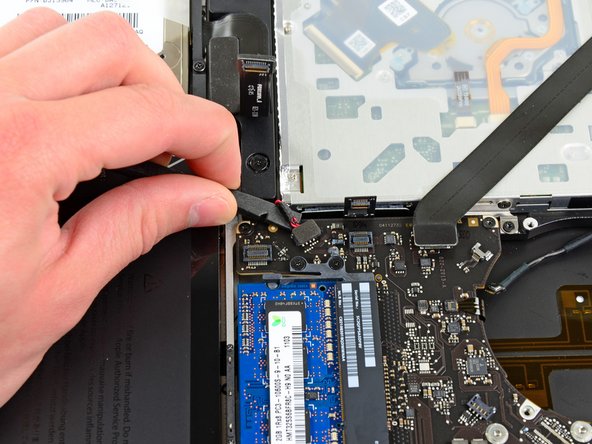
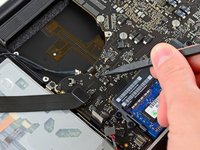
  • Use the flat end of a spudger to lift the subwoofer/right speaker connector out of its socket on the logic board.

  • Pry up from beneath the wires.

Image #1 Image #2

Add Note Edit Step 8  ¶ 

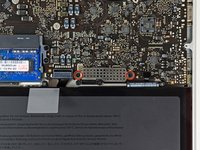
  • Remove the two 1.5 mm ( 1.2 mm ) Phillips screws securing the keyboard/trackpad cable cover to the logic board.

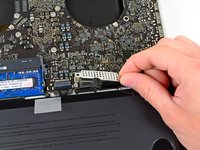
  • Lift the cover off the logic board and set it aside.

Next » « Previous

Popular Device Products

Comments Add Note Comments are offturn on