Introduction
Use this guide to replace a broken front display glass panel. Removal of the front display glass is required to access the LCD. Although it is not technically necessary to remove the display to access the front display glass, it greatly simplifies the task. This guide is not applicable for anti-glare displays.
What you need
-
-
Remove the following ten screws securing the lower case to the upper case:
-
Seven 3 mm Phillips screws.
-
Three 13.5 mm Phillips screws.
-
-
-
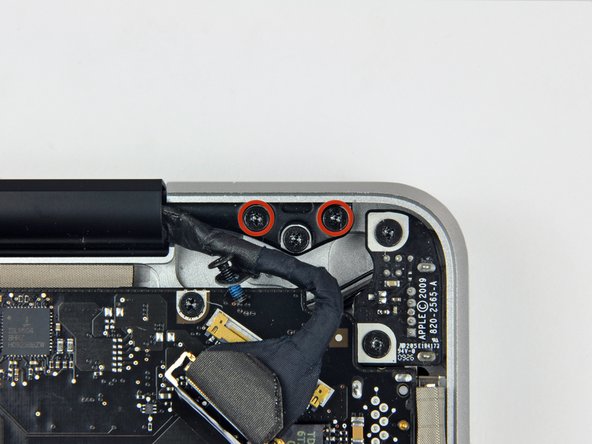
Three Pentalobe screws secure the battery to the upper case. They can be removed with this special driver.
-
-
-
Hold the end of the cable retainer down with one finger while you use the tip of a spudger to slightly lift the other end and rotate it away from the camera cable connector.
-
Pull the camera cable away from its socket on the logic board.
-
-
-
-
Grab the upper case with your right hand and rotate it slightly toward the top of the display so the upper display bracket clears the edge of the upper case.
-
Rotate the display slightly away from the upper case.
-
Lift the display up and away from the upper case, minding any brackets or cables that may get caught.
-
-
-
Before starting, be sure to clean the display glass with lint-free cloth moistened with a mild solution; it will make the suction cup adhere better, and will make checking for dust on reassembly easier
-
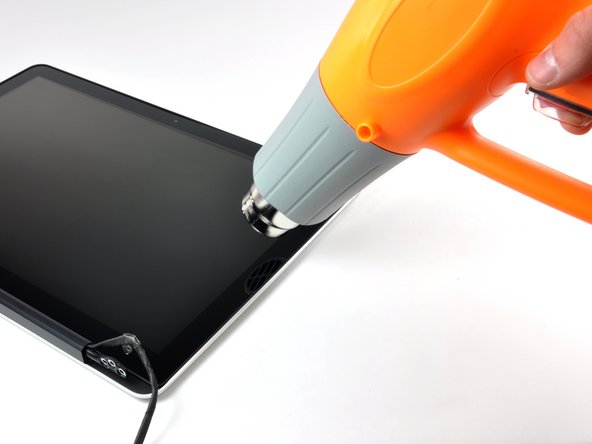
With the heat gun set to low, start by heating the outer black border near the upper right corner of the glass panel.
-
-
-
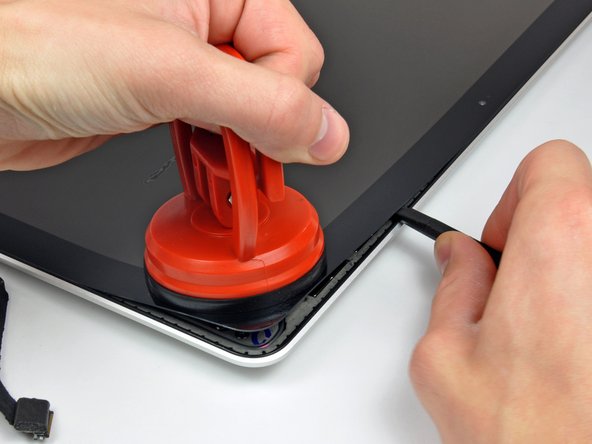
Gently lift the corner of the display glass enough to insert a spudger between it and the display assembly.
-
Use the flat end of a spudger to gently pry up the adhesive securing the front glass to the display.
-
Pry up the glass panel a few inches away from the upper right corner along the top and right edges of the display.
-
-
-
Use a heat gun to soften the adhesive under the black strip along the right side of the front glass panel.
-
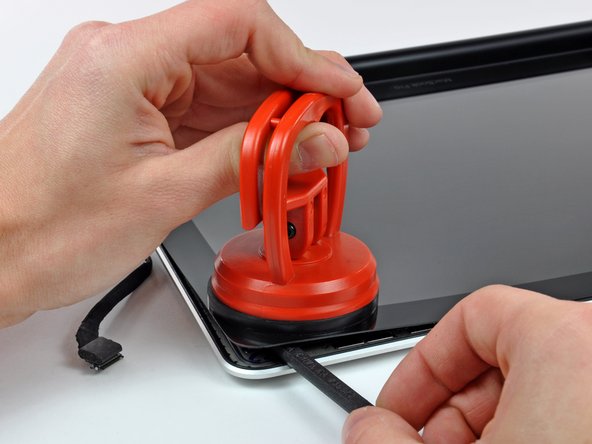
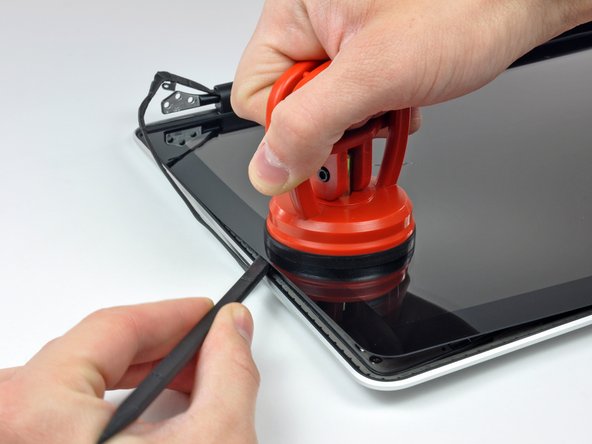
Attach a suction cup along the right side of the front glass panel.
-
Pull up on the glass panel while you use the flat end of a spudger to separate it from the rest of the display assembly.
-
Continue working along the right edge of the front display glass until it is separated from the display.
-
-
-
Use your heat gun to soften the adhesive under the black strip along the top edge of the glass display panel.
-
Attach a suction cup near the top edge of the glass display panel and use it to pull the glass panel up off the display.
-
Work along the top edge of the glass panel, carefully using the flat end of a spudger to separate the adhesive if necessary.
-
-
-
Use a heat gun to soften the adhesive under the black strip near the upper left corner of the glass display panel.
-
Attach a suction cup near the upper left corner of the glass display panel.
-
Pull up on the suction cup and use the flat end of a spudger to carefully pry the glass display panel out of the display assembly.
-
-
-
Use a heat gun to soften the adhesive under the black strip along the left side of the front glass panel.
-
Attach a suction cup along the left side of the front glass panel.
-
Pull up on the glass panel while you use the flat end of a spudger to separate it from the rest of the display assembly.
-
Continue working along the left edge of the front display glass until it is separated from the display.
-
-
-
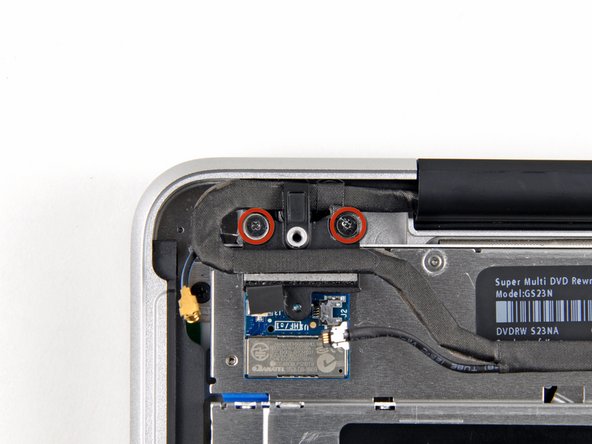
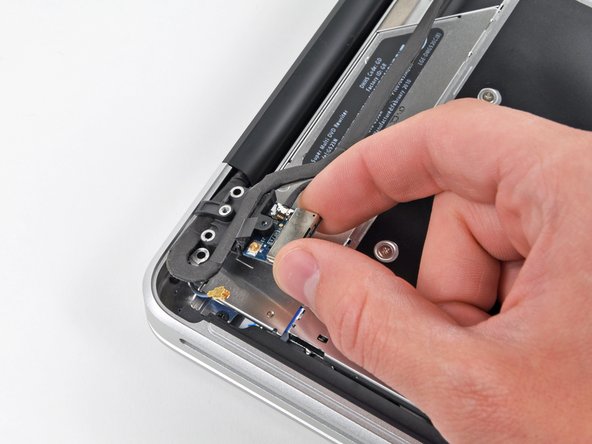
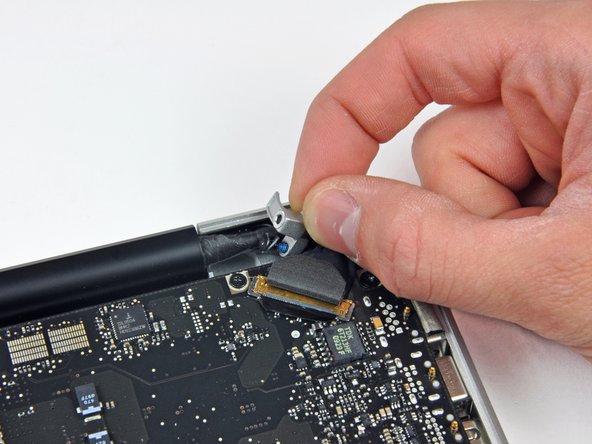
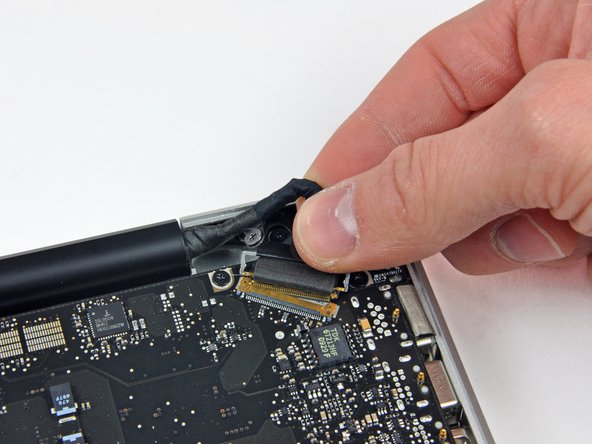
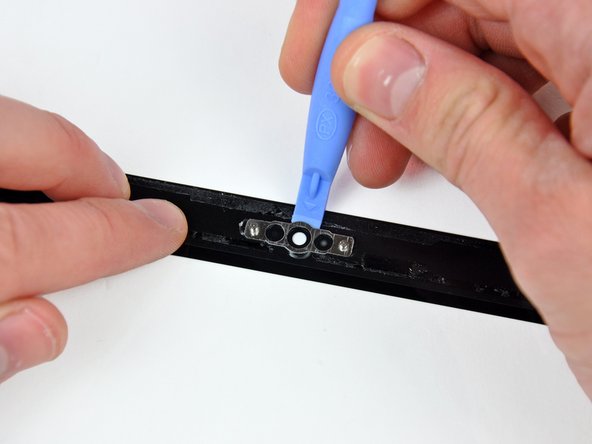
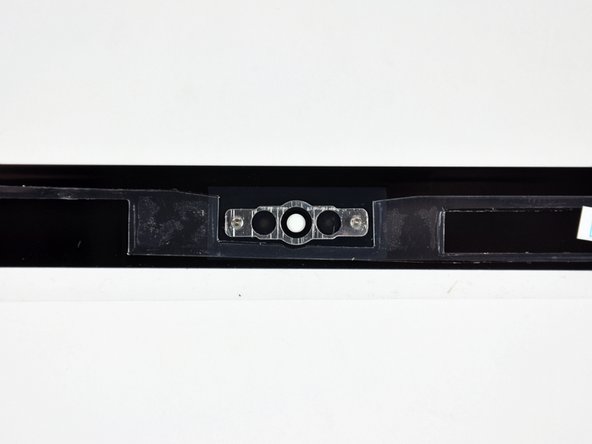
To reconnect the cable, first use the tip of a spudger to remove the piece of foam tape over the camera cable ZIF socket.
-
Use the tip of a spudger to flip up the ZIF cable retainer on the camera cable socket.
-
Insert the camera cable into its socket on the camera board and use the tip of a spudger to snap down the ZIF cable retainer, locking the cable in place.
-












To reassemble your device, follow these instructions in reverse order.
To reassemble your device, follow these instructions in reverse order.
Cancel: I did not complete this guide.
13 other people completed this guide.


3 Comments
I just removed, cleaned, and replaced the display glass on my MBP without removing the display, and it turned out to be much easier, including removing the bottom edge of the glass. Perhaps this was because the original glass adhesive was failing, with most of the top edge adhesive no longer doing its job, and in most cases removing the display will make the task easier. However, I'd suggest doing the glass only first; if you find you can't remove the bottom edge of the glass then you can remove the display and finish the job.
I second trying without removing. I have done it both ways, and if you don't have to do a near complete tear down, avoid it. More importantly they left out a couple important steps before reassembling. Clean, clean, clean the frame before laying down adhesive. Also, after install heating a bit can help to set it.
If you don't have a penta lobe driver, I recommend buying one. The flathead screwdriver method mentioned here and elsewhere didn't work for me and resulted in a stripped screw head, which was a real pain to get out. I found a penta lobe driver locally and avoided ruining more screws.
