Introduction
Replace a broken AirPort card to regain Wi-Fi connectivity.
What you need
-
-
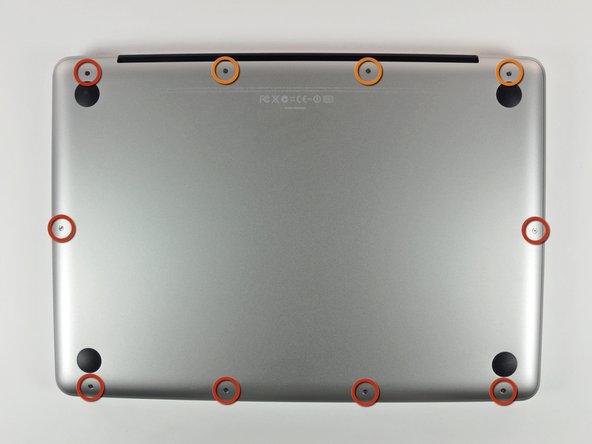
Remove the following 10 screws securing the lower case to the MacBook Pro 13" Unibody:
-
Seven 3 mm Phillips screws.
-
Three 13.5 mm Phillips screws.
-
-
-
Slightly lift the lower case and push it toward the rear of the computer to free the mounting tabs.
-
-
-
Use the flat end of a spudger to lift the battery connector up out of its socket on the logic board.
-
-
-
Use the flat end of a spudger to pry the subwoofer/right speaker cable connector up off its socket on the logic board.
-
-
-
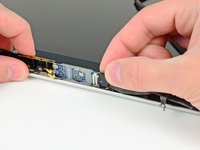
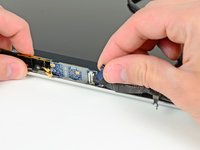
Disconnect the camera cable by sliding it horizontally out of its socket.
-
If you see a small plastic retainer stuck to the logic board that prevents the camera cable from sliding out, peel it up carefully from the logic board. Apply a little heat from a hair dryer or heat gun if necessary to help soften the adhesive holding it in place. Do not attempt to forcibly disconnect the cable with the retainer in place.
-
If you still have trouble, use the point of a spudger to push at each side of the connector and "walk" it slowly from its socket.
-
-
-
-
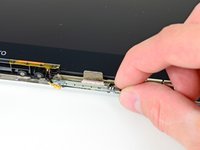
Grab the clutch cover as shown and slide it toward the right side of the display.
-
-
-
Use the tip of a spudger to pry both AirPort antenna connectors out of their sockets on the AirPort board.
-
-
-
Remove the single 3 mm Phillips screw securing the AirPort card to the display nearest the AirPort antenna.
-




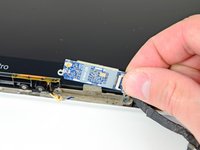
To reassemble your device, follow these instructions in reverse order.
Cancel: I did not complete this guide.
81 other people completed this guide.


5 Guide Comments
Hello,
Andrew ...my salute to you. This just worked fine to fix my wifi hardware not installed problem on my Macbook pro (2010 mid). Thank you very much.
Regards,
Abhi
Very good instruction, but I still get „No hardware installed“. Any way to exchange the cable between Airport card and logic board? I‘m afraid no.
I have this problem
Luego de instalar el wifi card sigo teniendo el aviso de no hardware instalado. Cuál es la causa y que debo hacer ?
