Introduction
Follow this guide to replace a dead hard drive or upgrade your hard drive for more storage capacity.
What you need
Video Overview
-
-
Remove the following ten screws:
-
Three 14.4 mm Phillips #00 screws
-
Three 3.5 mm Phillips #00 screws
-
Four 3.5 mm shouldered Phillips #00 screws
-
-
-
Use the edge of a spudger to pry the battery connector upwards from its socket on the logic board.
-
-
-
-
Remove the two Phillips screws securing the hard drive bracket to the upper case.
-
-
-
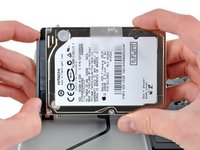
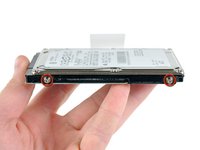
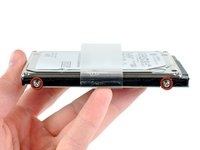
Remove the four 6.0 mm T6 Torx hard drive retaining posts from the sides of the hard drive.
-
Transfer the hard drive retaining posts to your new hard drive.
-




To reassemble your device, follow these instructions in reverse order.
Cancel: I did not complete this guide.
272 other people completed this guide.


12 Guide Comments
Is there any specific order that's best for putting back the screws?
Start with the corners but after that it dose not matter
