Introduction
Replacing a defective fan is pretty easy and will keep your laptop running cool.
What you need
Video Overview
-
-
Remove ten Phillips screws securing the lower case to the MacBook Air:
-
Six 2.8 mm screws
-
Two 3.8 mm screws
-
Two 5.4 mm screws
-
-
-
Lift the battery out of the Air.
-
Charge it to 100%, and then keep charging it for at least 2 more hours. Then, unplug and use it normally to drain the battery. When you see the low battery warning, save your work, and keep your laptop on until it goes to sleep due to low battery. Wait at least 5 hours, then charge your laptop uninterrupted to 100%.
-
If you notice any unusual behavior or problems after installing your new battery, you may need to reset your MacBook's SMC.
-
-
-
Disconnect the port hatch ribbon cable from the logic board by pulling it straight up by its black pull tab.
-
Pull the audio out ribbon cable off the adhesive securing it to the upper case.
-
Use a spudger to pry the audio out ribbon cable connector board off the hard drive bracket.
-
-
-
-
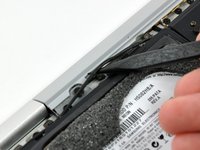
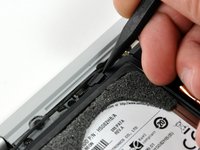
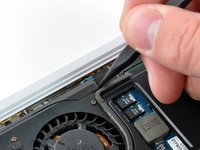
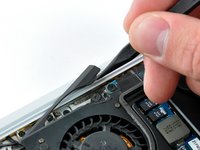
Use the tip of a spudger to pull the fan cable connector straight away from its connector on the logic board.
-








To reassemble your device, follow these instructions in reverse order.
Cancel: I did not complete this guide.
24 other people completed this guide.


2 Guide Comments
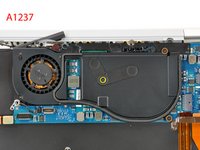
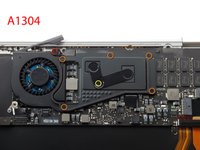
Can i replace the fan from a 2008 A1237 model with the one from the 2008-2009 A1304?
