Introduction
Use this guide to install iFixit's Dual Hard Drive Kit in your Mid 2011 Mac mini.
What you need
-
-
Place your thumbs in the depressions cut into the bottom cover.
-
Rotate the bottom cover counter-clockwise until the white dot painted on the bottom cover is aligned with the ring inscribed on the outer case.
-
-
-
Remove the two 11.3 mm T6 Torx screws securing the fan to the logic board near the antenna plate.
-
-
-
Remove the following screws securing the antenna plate to the mini:
-
Two 6.6 mm T8 Torx screws
-
Two 5.0 mm T8 Torx or 2.0 mm Hex screws (either screwdriver will work)
-
When putting back together:
-
-
-
Use the flat end of a spudger to pry the hard drive connector up from its socket on the logic board.
-
-
-
-
Insert the Mac mini Logic Board Removal Tool into the two holes highlighted in red. Be sure it makes contact with the top side of outer case below the logic board before proceeding.
-
Carefully pull the tool toward the I/O board. The logic board and I/O board assembly should slightly slide out of the outer case.
-
Remove the Mac mini Logic Board Removal tool.
-
-
-
Pull the hard drive away from the front edge of the mini and remove it from the outer case.
-
-
-
Remove the 7.9 mm T6 Torx screw securing the power supply and hard drive tray to the outer case.
-
-
-
Remove the 7.9 mm T6 Torx screw securing the hard drive tray to the outer case.
-
-
-
In the next few steps you will be installing the grommets in the holes located along the brackets boxed in red.
-
-
-
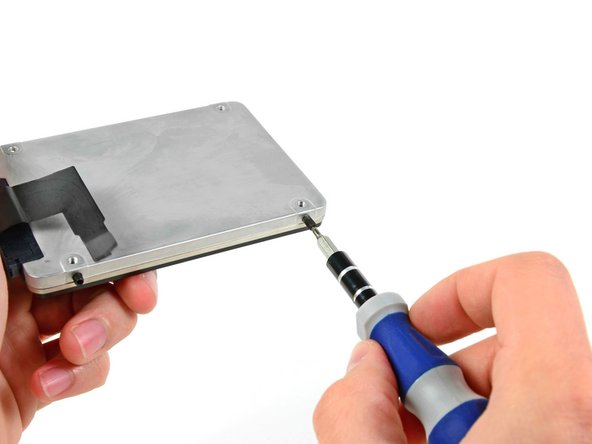
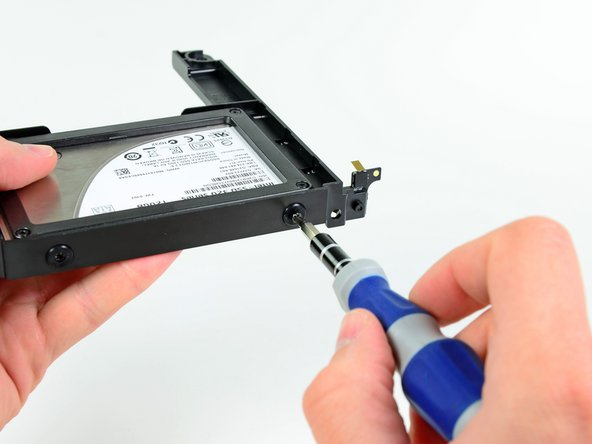
Use a T6 Torx screwdriver to install two of the set screws on the side of the hard drive closest to the end of the hard drive cable that attaches to the logic board.
-
Tighten the screws until they contact the end of the threaded holes in the side of the hard drive. They are shown correctly installed in the third picture.
-
-
-
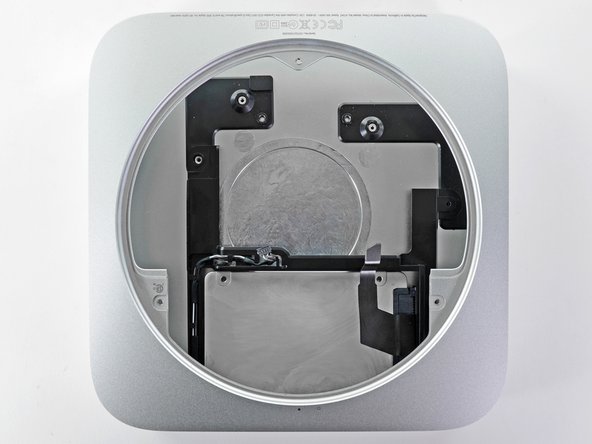
Install the second hard drive assembly into the outer case.
-
Be sure that the mounting holes line up with the threaded holes in the outer case as seen in the second picture.
-
When the logic board is installed, simply connect the second hard drive cable to the free socket on the logic board.
-
-
-
When you start up your machine, you'll see both drives are recognized by the mini.
-
Xbench scores show that if you install hard drives in either the top or the bottom position, their speeds will remain the same.
-
After reassembly, boot the mini into Lion Recovery and use disk utility to erase your SSD. Then install Lion on your SSD. After rebooting, go into system preferences>startup disk and choose your SSD as the startup disk.
-


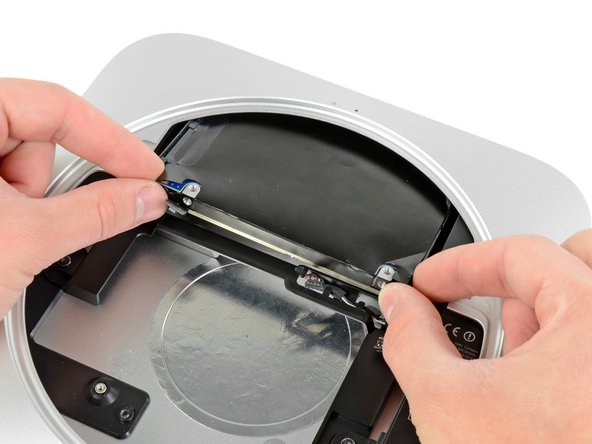
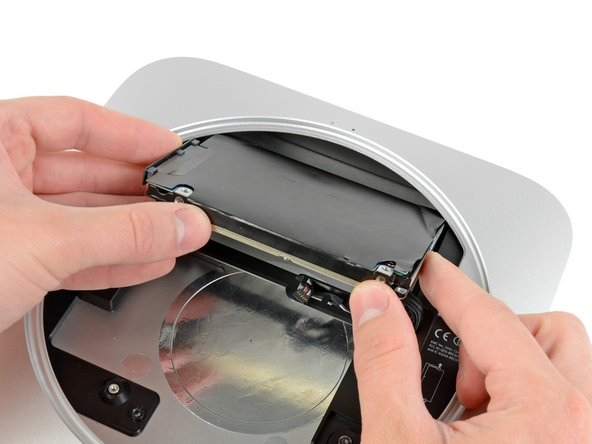


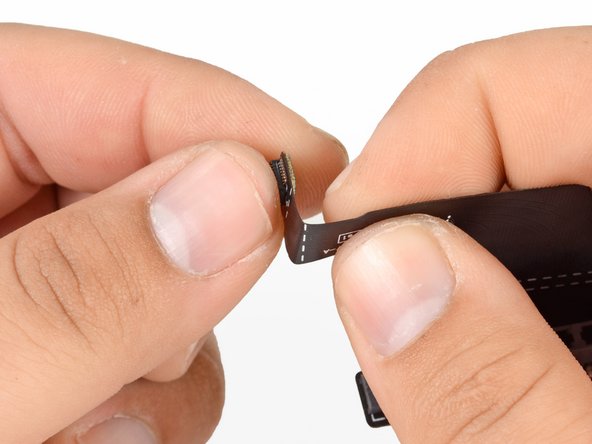


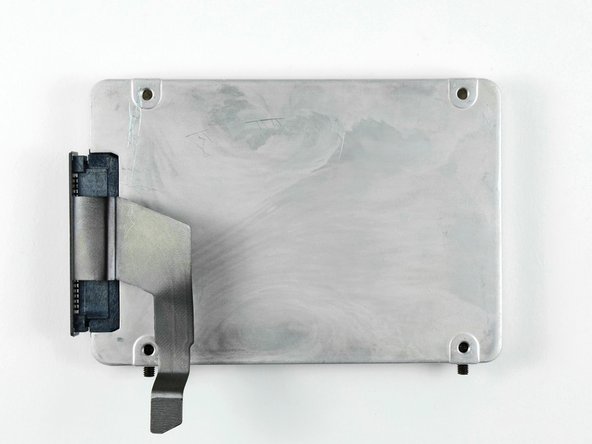





To reassemble your device, follow these instructions in reverse order.
To reassemble your device, follow these instructions in reverse order.
Cancel: I did not complete this guide.
659 other people completed this guide.


45 Comments
When adding second drive, be sure that the power supply cables are secured out of the way to allow drive to be seated correctly. If cables are in the way, screw holes do not quite line up with antenna plate.
This should be part of the main guide, I read this after completing my fix and I wish I had read this before. Spent about 20 mins figuring this one out. thanks. Great guide though.
When re-inserting the power supply make certain the left side screw is seated in the secondary drive tray and
fulled secured to the metal casing frame then turn the entire housing upside down and slide the power supply into
place (careful of cables etc.)
There are two metal anchor points on the power supply, one on the very tip
that is inserted into the Mac Mini housing and the other is on the right side of the power supply that sits
into a plastic slot up against the side of the metal housing. Tried everything to get the points home so the right
secondary hard drive tray screw holes would line up with the power supply anchor holes. This worked the first try.
This didn't go so well. I did manage to assemble everything according to the manual, but it was one !%!$ of a fight, and now the machine boots, but the SSD I installed is nowhere to be found.
One thing I noticed is that the cable supplied to connect the second drive to the mainboard, is slightly too long. I had to bend it quite a bit so that it would line up with the connector on the mainboard, otherwise the cable would extend about 5 mm into the mainboard and not line up. I'm afraid now that I might have broken some of the wired on the adapter while bending it. However, without bending it there was no way to attach the connector.
What to do?
Same here, I have slightly damaged the ribbon cable and now the SSD is invisible to the OS :-/
