Introduction
Use this guide to replace the molded analog joystick covers on a DualShock 3 controller. The electronic joysticks are soldered to the controller board.
What you need
-
-
Remove the five 7.2 mm Phillips screws securing the rear cover to the controller.
-
-
-
Lift the battery off the motherboard for enough clearance to access the battery connector.
-
-
-
-
Remove the single 7.2 mm Phillips screw securing the motherboard to the front cover.
-
-
-
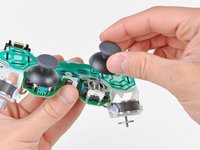
Pull the analog stick covers straight up off the joystick posts attached to the motherboard.
-


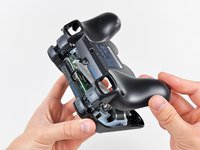


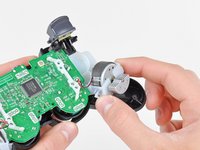
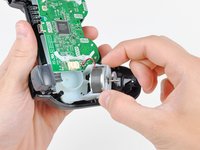


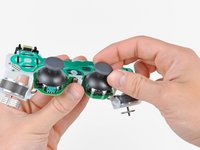
To reassemble your device, follow these instructions in reverse order.
Cancel: I did not complete this guide.
94 other people completed this guide.


3 Guide Comments
Reassembly doesn’t quite follow these steps in reverse order. Proper reassembly with the shoulder buttons is tricky. However, its much more simple to omit resinstalling the ‘1’ buttons until the controller housing is completely reassembled. They have one-way snapping clips on the edges, and appear designed to installed this way. Also, it’s good to double check the internal ‘1’ button switches are correctly centered inside the controller housing before4 snap in the ‘1’ buttons.
Thanks Andrew, your guide worked like a charm. My roomie spilled soda on the controller and the buttons were sticky. Cleaned it all up and all is good. As an aside, this controller had a rattle inside from new. I found a little black piece of plastic that looks like a bridge of sort. Now the rattle is gone too.
