Introduction
Replace the hard drive in your Apple TV 1st Generation.
What you need
-
-
Starting at one side of the device, use a hairdryer or a heat gun to soften the adhesive holding the rubber base in place.
-
While the adhesive is still warm, peel the bottom of the rubber base upwards to detach it from the metal plate.
-
Repeat the procedure described above until the rubber base has been completely removed.
-
-
-
-
Align the new hard drive with the screw holes on the lower case.
-
While holding the hard drive in place, insert and tighten the screws back into the lower case.
-


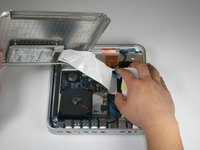
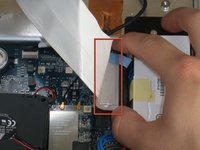


To reassemble your device, follow these instructions in reverse order.
Cancel: I did not complete this guide.
24 other people completed this guide.


9 Guide Comments
Can you replace the current harddrive with a larger capacity hardrive. I currently have a 160GB one but wouldnt mind putting a 1TB harddrive in there if its at all possible? Thank you.
can these harddrives still be bought? if so where?
Yes, you can through a 1TB drive into it. Yes, drives can be bought for them still, you can go online and search for them or you can try the good ol 'bay and find them there as well. You'd have to transfer the OS yourself using a USB drive to reinstall it or clone your current drive over and it will see it exactly the same as it was before.
