Introduction
The vibrating part of the iPhone.
What you need
-
-
If your display glass is cracked, keep further breakage contained and prevent bodily harm during your repair by taping the glass.
-
Lay overlapping strips of clear packing tape over the iPhone's display until the whole face is covered.
-
-


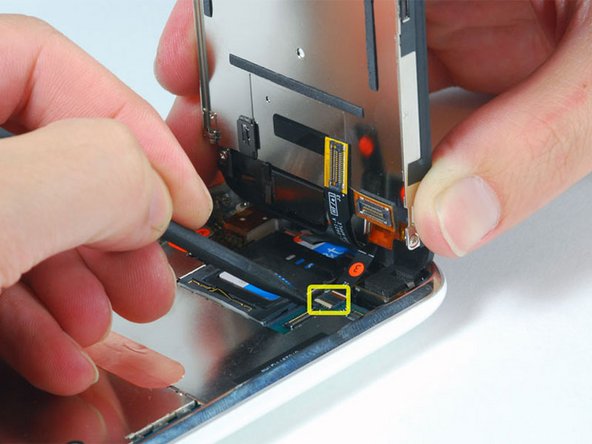


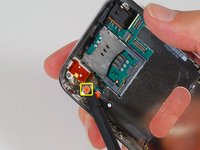
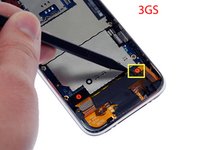


To reassemble your device, follow these instructions in reverse order.
Cancel: I did not complete this guide.
54 other people completed this guide.


5 Guide Comments
After you are done with the replacement and get everything back in place, hard reset the phone as it is the only way to turn it on.
I have just successfully replaced the motor, remarkably straightforward (though in parts very fiddly), and an excellent guide up to step 6.
Couple of tips -
Step 2: The screen really comes up with a jerk, I actually pulled off a connector with the initial separation and was very lucky nothing broke. Be very gentle with the initial separation.
Step 6: The white/black parts were reversed on mine, I guess it's fairly random. But all you need to know is that you very carefully flip up the smaller section, whichever colour it may be.
At this point, I had access to the motor so I tried my luck. It came out, and the next one went in, with great ease. You do not need to go any further than step 6 to do this fix. The small section of the motor still covered just slides out with a gentle tug, and my replacement is working fine.
After step 6, you can replace the vibration motor by loosening the two screws. You can then tilt the motor from below the motherboard. All the other steps are unnecessary.
I just replaced a 3GS vibration motor with a 3G vibration motor, and yes, it works.
apple 3g ear speaker is not working
thank you so much
