Introduction
The logic board of your iPhone controls everything in the iPhone.
What you need
-
-
If your display glass is cracked, keep further breakage contained and prevent bodily harm during your repair by taping the glass.
-
Lay overlapping strips of clear packing tape over the iPhone's display until the whole face is covered.
-
-
-
Remove the two Phillips #00 screws from the dock-connector end of the iPhone.
-
-
-
Remove the metal handle from the suction cup. It's easier and safer to grip the suction cup's base instead of the metal handle.
-
Use a small suction cup near the Home button to gently pull up the bottom portion of the iPhone's display assembly.
-
If the display assembly is too damaged to allow the suction cup to adhere, tape with a strong adhesive such as duct tape, or thick, clear packing tape may be used.
-
-


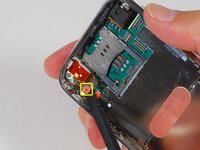
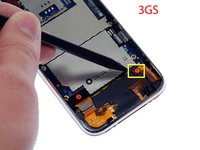


To reassemble your device, follow these instructions in reverse order.
Cancel: I did not complete this guide.
102 other people completed this guide.


5 Guide Comments
Step 6: When I attempted to 'rotate the white connector 90 degrees' my white connector broke into 4 pieces... my phone is now beyond my repair. I feel soo dumb. I should have used a pair of eyebrow tweezers (two flat blades that press together) to wiggle the #3 ribbon cable in/out of the connector instead of trying to pivot it.
Anyone know how to repair this? Drop me a line at quathiaski(at)gmail.com
I have found out why I broke my connector all to heck... I attacked the wrong end with my plastic prodder. Work on the BLACK end... it moves...not the white end.
Dayna -
Wow… I don't know!!
You have to search for used parts in marketplace like eBay and so on.
It's the only way I know, I'm sorry.
