Introduction
Use this guide to replace a broken antenna.
What you need
-
-
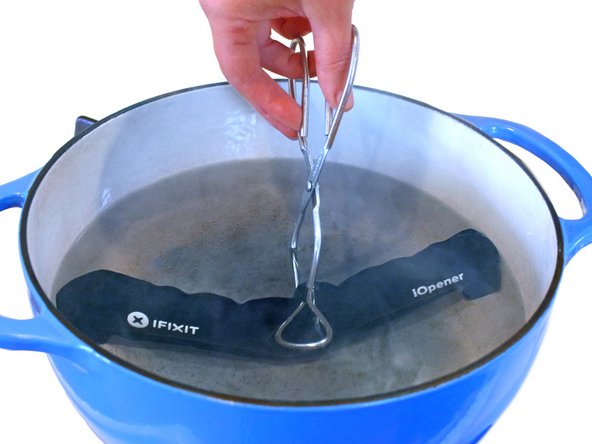
Fill a pot or pan with enough water to fully submerge an iOpener.
-
Heat the water to a boil. Turn off the heat.
-
Place an iOpener into the hot water for 2-3 minutes. Make sure the iOpener is fully submerged in the water.
-
Use tongs to extract the heated iOpener from the hot water.
-
Thoroughly dry the iOpener with a towel.
-
Your iOpener is ready for use! If you need to reheat the iOpener, heat the water to a boil, turn off the heat, and place the iOpener in the water for 2-3 minutes.
-
-
-
If your display glass is cracked, keep further breakage contained and prevent bodily harm during your repair by taping the glass.
-
Lay overlapping strips of clear packing tape over the iPad's display until the whole face is covered.
-
Do your best to follow the rest of the guide as described. However, once the glass is broken, it will likely continue to crack as you work, and you may need to use a metal prying tool to scoop the glass out.
-
-
-
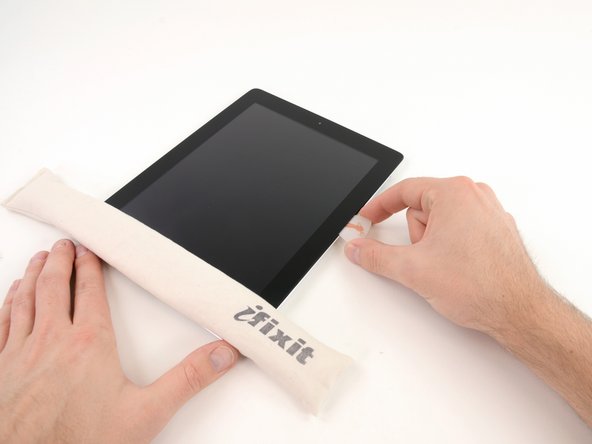
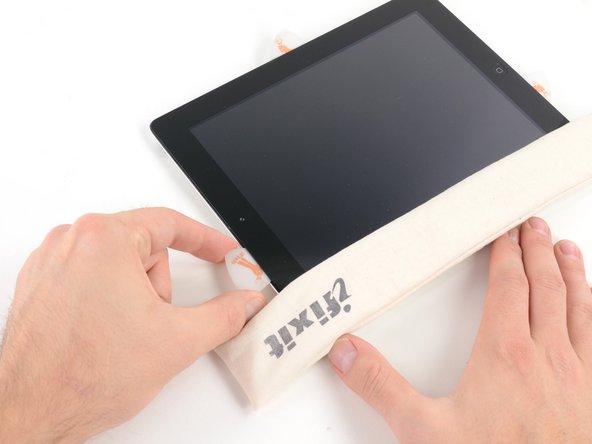
Lay the iOpener flat on the right edge of the iPad, smoothing it out so that there is good contact between the surface of the iPad and the iOpener.
-
Let the bag sit on the iPad for approximately 90 seconds before attempting to open the front panel.
-
-
-
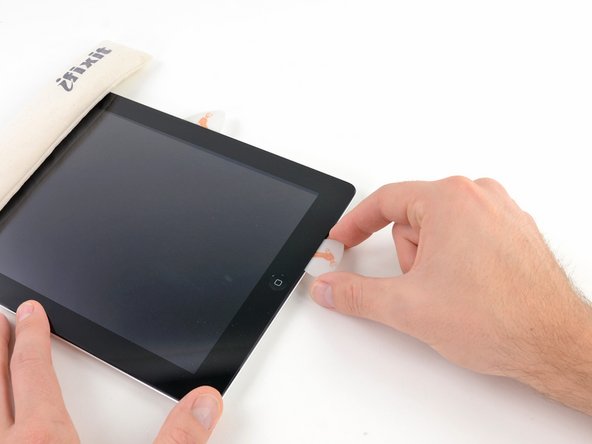
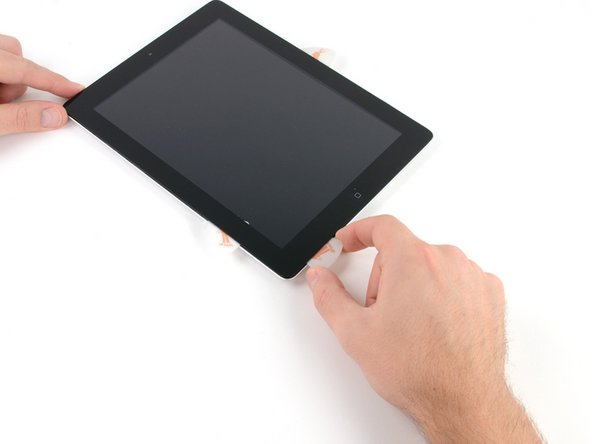
There is a small gap in the iPad's adhesive ring in the upper right corner of the iPad, approximately 2.0 inches (~5 cm) from the top of the iPad. You are going to exploit this weakness.
-
Align the tool with the mute button. Insert the tip of a plastic opening tool into the gap between the front glass and the plastic bezel. Just insert the very tip of the opening tool, just enough to widen the crack.
-
-
-
-
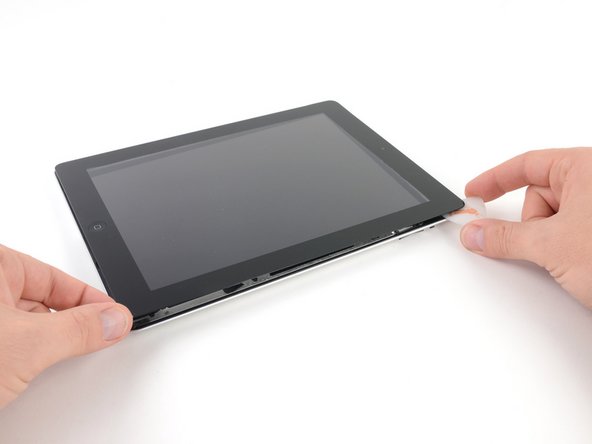
Once you have moved past the Wi-FI antenna (approximately 3" (75 mm) from the right edge, or right next to the home button) re-insert the opening pick to its full depth.
-
Slide the pick to the right, releasing the adhesive securing the Wi-Fi antenna to the front glass.
-
The antenna is attached to the bottom of the iPad via screws and a cable. This step detaches the antenna from the front panel, ensuring that when you remove the panel, the antenna will not be damaged.
-
-
-
Slide the opening pick along the top edge of the iPad, pulling it out slightly to go around the front-facing camera bracket.
-
The adhesive along this section is very thick, and a fair amount of force may be required. Work carefully and slowly, making sure to not slip and damage yourself or your iPad.
-
-
-
Use the edge of a plastic opening tool to carefully flip up the retaining flaps on the two digitizer ribbon cable ZIF sockets.
-
-
-
Lift the LCD from its long edge farthest from the digitizer cable and gently flip it toward the rear case—like closing a book.
-
While holding the LCD up, gently slide the front panel away from the iPad. Be careful not to snag the digitizer cable on the rear case or LCD.
-
Set the LCD back into the body for safekeeping.
-
-
-
Lift the LCD from its long edge closest to the volume buttons and gently flip it out of the rear case—like turning the page in a book.
-
Set the LCD face down on a clean surface. You may want to rest it on a soft cloth to prevent scratches.
-
-
-
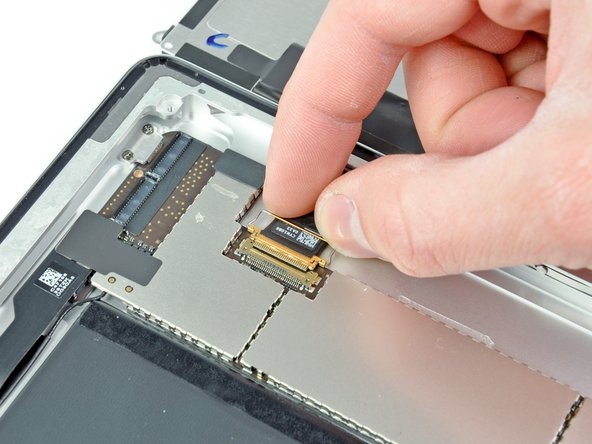
Use a plastic opening tool to lift the display data cable lock upwards.
-
Pull the display data cable out of its socket.
-
-
-
If present, use a plastic opening tool to help remove the piece of tape covering the end of the dock connector cable.
-
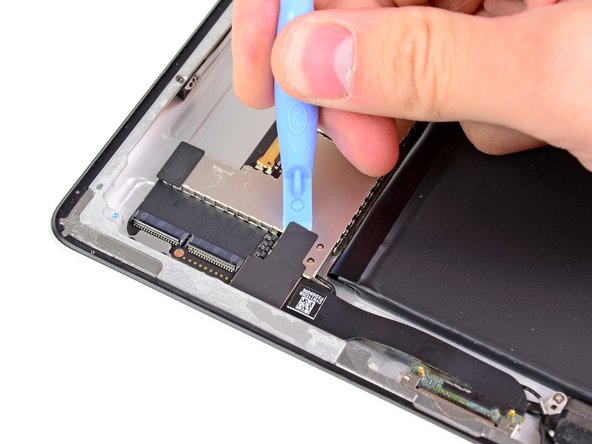
Use the edge of a plastic opening tool to carefully pry the dock connector cable's connector up from its socket on the logic board.
-
Peel the dock connector ribbon cable off the rear panel.
-
-
-
Move the dock connector/speaker cables out of the way and peel the Bluetooth/Wi-Fi antenna cable off the adhesive securing it to the rear case.
-


















To reassemble your device, follow these directions in reverse and use our iPad 2 Wi-Fi Front Panel Adhesive strips guide to reattach the front panel.
To reassemble your device, follow these directions in reverse and use our iPad 2 Wi-Fi Front Panel Adhesive strips guide to reattach the front panel.
Cancel: I did not complete this guide.
285 other people completed this guide.


16 Comments
Be very aware of making sure the glass panel is completely clean of dust or fingerprints before reattaching to main body of iPad - once the new adhesive is applied it is tricky to open easily again.
The wifi cable part does have adhesive to the right of the home button- great care is needed when separating the glass from the ipad in this area as the wifi is adhered to the bottom inch of the glass panel and can rip when separating the panel from the frame.
Hey guys how are you doing? Let me tell you my experience and I expect your comments.
I have changed my iPad 2 wifi antenna because I accidentally broke it when I changed my touch screen. So, I bought a new antenna and I have installed it already, now I can´t get a good reception of the wifi, I mean, I have to be next to the modem in order to be connected otherwise I get poor reception or nothing.
Do you have any ideas? Do I have to replace it for a new one?
Is sounds like the antenna is not working or is not connected properly. I would check the physical cable connection to the iPad first.
Hi Ipelaez,
I have the same problem as you, I replaced the wifi antenna and it works but only when I'm right next to the modem. I tired to connect and disconnect the antenna cable to the logic board many times but no change. Can anyone help me out? Could it be a poor quality antenna?
Barry -
