Introduction
Use this guide to replace a faulty power supply.
What you need
Video Overview
-
-
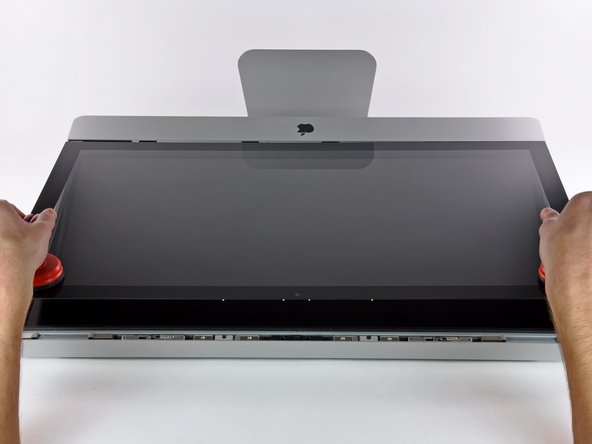
Stick a heavy-duty suction cup near each of the two top corners of the glass panel.
-
While lightly holding the suction cup against the glass, raise the movable handle until it is parallel with the other handle (as indicated by the third picture).
-
-
-
-
Disconnect the DC power cable by using your index finger to depress the locking mechanism on the back of the connector while you pull the connector away from its socket on the power supply.
-
Once the locking mechanism has cleared the socket, pull the DC power connector away from the power supply.
-




To reassemble your device, follow these instructions in reverse order.
To reassemble your device, follow these instructions in reverse order.
Cancel: I did not complete this guide.
112 other people completed this guide.


20 Comments
Super tutoriel ! Félicitations et merci à son auteur, sans lui je n'aurais pas entrepris de démonter l'iMac... et serait resté avec une machine en panne à remplacer.
Michel T
That's ok now ! I've had to repair the iMac twice because the Power Supply Unit was also out. At the beginning of the problem, the power button didn't work, but sometimes it worked. For instance if the iMac was stopped for several hours, or days ! Then, it was more and more frequent. I have supposed that some large capacitors on the PSU were too old and wrong. Could it be the reason ?
Many thanks to Ifix-It Europe : they have sent a new PSU very quickly. This 2nd repair took me about 45'.
Best regards
Michel
Excellent walkthrough!
I do now have an issue. When all reassembled I now have now power at all. Suggestions or causes?
Thanks for the walk through, it worked like a charm!
