Introduction
Two RAM slots allow up to 2 GB of PC2-5300 RAM.
What you need
-
-
Use your fingers to push both battery release tabs away from the battery and lift the battery out of the computer.
-
-
-
Remove the four identical Phillips 3.4 mm screws from the memory door. These screws have 4 mm diameter heads rather than the 3 mm heads on the body screws.
-
-
-
-
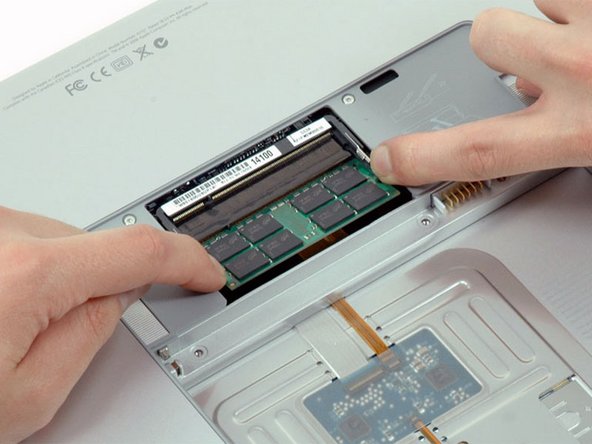
Release the tabs on each side of the RAM chip at the same time. These tabs lock the chip in place and releasing them will cause the chip to "pop" up.
-



To reassemble your device, follow these instructions in reverse order.
To reassemble your device, follow these instructions in reverse order.
Cancel: I did not complete this guide.
113 other people completed this guide.


2 Comments
My 1261 came w/2 of the 2gig sticks and If I understand things I'read here, I buy a 4 gig stick and replace one of the already installed 2 gig sticks and the machine will see and use 6. Is this about it?
Jim in Chicago
Yes Jim, that is it.
