Introduction
Replacing the upper case requires the removal of nearly every component in your MacBook Pro. You will also need to transfer your old trackpad over to your new upper case.
What you need
Video Overview
-
-
Remove the following ten screws:
-
Three 14.4 mm Phillips #00 screws
-
Three 3.5 mm Phillips #00 screws
-
Four 3.5 mm shouldered Phillips #00 screws
-
-
-
Use the edge of a spudger to pry the battery connector upwards from its socket on the logic board.
-
-
-
Use the edge of a spudger to gently pry the fan connector up and out of its socket on the logic board.
-
-
-
Use the tip of a spudger to pull the right speaker/subwoofer cable out from under the retaining finger molded into the upper case.
-
Pull the right speaker/subwoofer cable upward to lift the connector out of its socket on the logic board.
-
-
-
-
Remove the following two screws:
-
One 5.6 mm Tri-point screw
-
One 13 mm Tri-point screw
-
-
-
Grab the upper case with your right hand and rotate it slightly toward the top of the display so the upper display bracket clears the edge of the upper case.
-
Rotate the display slightly away from the upper case.
-
Lift the display up and away from the upper case, minding any brackets or cables that may get caught.
-
Upper case remains.
-
-
-
Carefully insert the cable from your old trackpad through its slot cut into your new upper case.
-
Use one hand to hold the trackpad cable in place as you insert the two retaining tabs on the outer edge of the trackpad under the lip on the upper case.
-
Pull the trackpad cable as you seat the trackpad into its void in your new upper case.
-
-
-
Tighten the outer two screws along the inner edge of the trackpad and check the alignment of it on the outer side of the upper case.
-
If its alignment looks good, install the rest of the Phillips screws along the inner edge of the trackpad.
-
Before reassembling your machine, verify that the set screw is still installed in a position so the mouse will click correctly.
-


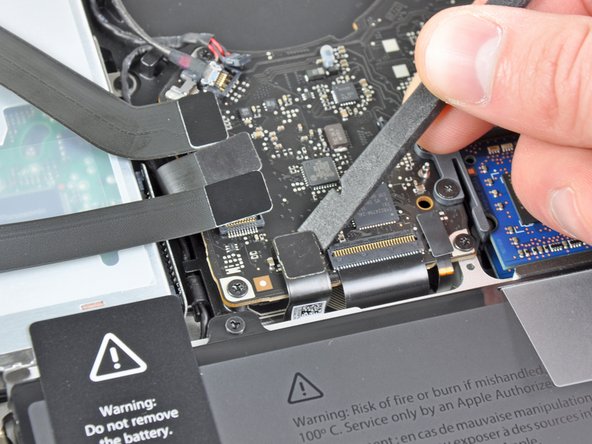


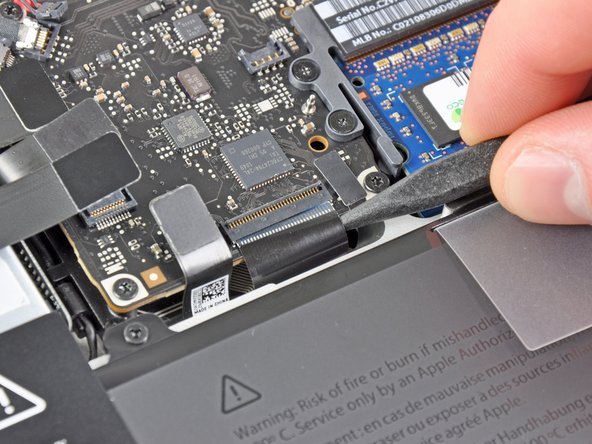


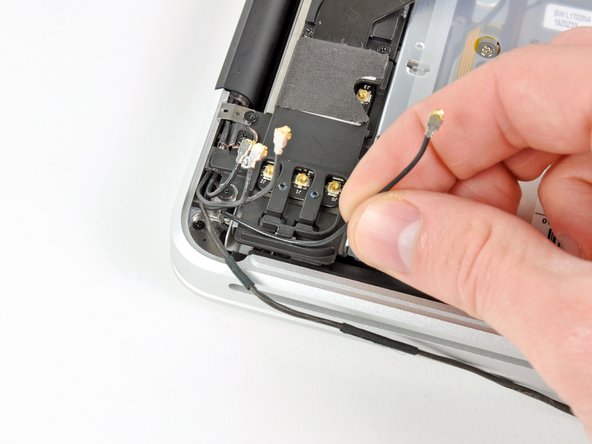


To reassemble your device, follow these instructions in reverse order.
To reassemble your device, follow these instructions in reverse order.
Cancel: I did not complete this guide.
131 other people completed this guide.




12 Comments
This is a great guide. Just replaced my keyboard after a spill. It's definitely a harrowing experience, especially getting all those 67 microscopic screws holding the keyboard against the top side. But if you sit down with approximately 2 beers (wouldn't recommend more or you'll probably start making mistakes), it's a perfectly manageable 3-4 hour experience. Just take it slow!
If I replace just the keyboard, are there any steps that I can skip?
Just finished replacing the top cover assembly. The biggest problem I had was re-inserting the ZIF connectors for the keyboard and backlight. There isn’t enough room for my fat fingers to line up the cable with the socket. The angled tweezers applied carefully (don’t want to puncture or rip the cable) and a little help from a spudger made it happen. When switching the cases check carefully for “missing” parts. Besides the trackpad, the upper case I got from iFixit lacked the center support bracket for the optical drive and logic board, the little screw bracket for the bottom case and the antenna stuck to the case behind the right speaker. The antenna is a little fiddly because it’s stickied to the case and there’s not much room to pry it out without bending and possibly damaging it.
All that said, it wasn’t a particularly difficult job, just labor intensive. And the wife’s reaction to getting her business computer back without buying a new one was worth it.
Just finished this and the only things I would add deal with the metal plate that hold the power meter button in is not mentioned and luckily I was able to slide the cable under the logic board and make the connection. otherwise it would be good to add this step before you re insert the logic board. Also the black and orange rubber part that is the bottom of the hard drive mount. They just lift out of the old case and slide into the new case. And there is a metal piece below the speaker that needs to be transferred as well.
Otherwise great guild.
I just replaced the keyboard with all those pesky screws. But all is working again. I missed the part in replacing the keyboard itself in the first place. You need to have the sheets in the right order and in the right orientation. Also does it need removal of the stiffening bar that run along the keyboard. I forgot when I removed it, so I was a bit puzzeld when to put it back. Would be nice to add those steps also to this otherwise perfect guide!
