Introduction
Upgrade the RAM in your Mid 2012 MacBook Pro 13" Unibody.
What you need
-
-
Remove the following ten screws:
-
Three 14.4 mm Phillips #00 screws
-
Three 3.5 mm Phillips #00 screws
-
Four 3.5 mm shouldered Phillips #00 screws
-
-
-
-
Use the edge of a spudger to pry the battery connector upwards from its socket on the logic board.
-


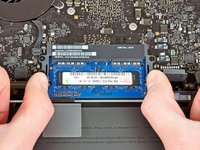
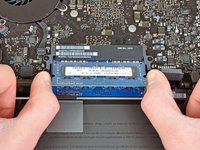

To reassemble your device, follow these instructions in reverse order.
Cancel: I did not complete this guide.
608 other people completed this guide.




49 Guide Comments
Just replaced my 4GB with 16GB of PNY from Best Buy. AWESOME difference in performance!!
Could you please specify the memory chip that you bought? I need more details in order to get the right one, thanks!
Lin -
Any memory kit that is either validated by Apple or that has the proper channel configuration (9-9-9-24) is okay to use. If you are looking for pure performance RAM, a kit of Corsair Vengeance RAM is okay to use (again, check the channel configuration), but most people will benefit from a kit of Corsair Mac Memory or the kit that iFixit provides in the volume of your choice.
