Introduction
Use this guide along with an oleophobic coating kit to restore the oleophobic coating on your device, or to add an oleophobic coating to your screen or screen protector. These kits can also be used to treat other glass surfaces, such as eye glasses, watches, smartwatches, and more.
The coating requires 8-12 hours to set, so it’s best to perform this procedure before bedtime.
What is an oleophobic coating?
Modern smartphones feature an oleophobic (oil-repellent) coating that protects the screen, improves smoothness, and reduces fingerprints. This coating consists of a thin layer of fluoropolymer-based solids (similar to Teflon) that is bonded to the glass.
Over time and use, this coating will wear off, and you may notice parts of the screen getting greasy or dirty with fingerprints more easily.
What you need
-
Tool used on this step:Microfiber Cleaning Cloths$3.99
-
Use isopropyl alcohol to thoroughly clean the surface you are planning to apply the coating to.
-
Wipe the screen dry with a clean microfiber cloth.
-
-
-
Wrap one finger in a bit of plastic. You can use a sandwich bag or some plastic wrap.
-
-
-
-
Apply 10-15 drops of the oleophobic coating liquid onto the surface.
-
-
-
Wipe your plastic-covered finger over the surface with quick, light swipes until the liquid evaporates.
-
If you applied the liquid to only a portion of the surface, repeat the liquid application and rubbing procedure to the remaining surface.
-
-
-
Afterward, you can wipe off any residue remaining on the touch screen with a clean microfiber cloth.
-
Repeat this process 2-3 times to fully maximize the oleophobic coating performance and film durability.
-


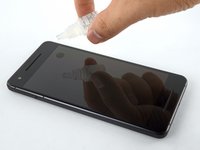
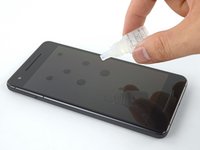
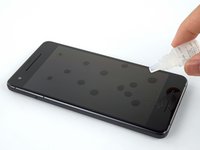


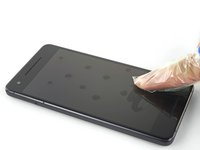
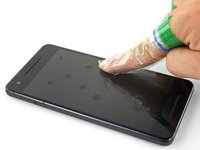
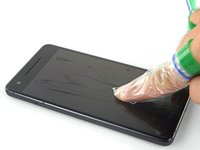

Done properly, this results in a perfect oleophobic coating on your device.
Your device will still collect some fingerprints, but the oil left behind by your fingers will be greatly reduced, and easier to wipe off.
Reapply the coating every 1-2 months or as needed.
Cancel: I did not complete this guide.
270 other people completed this guide.


60 Guide Comments
Very interesting guide. Awesome.
Do I have to remove the coating that is on the device when it's new?
Especially when the coating has some very small scratches?
And if yes, how to remove it?
Thanks
apply Acetone
Mudiver -
I recommend avoiding this for the iPhone 6. The curved screen simply directs the liquid into the casing.
Tried this with my iPhone 6. Seems to work pretty well. I'll do a few more quotes. I noticed this actually had a beneficial effect on screen scratches. Filled them in pretty well, blends with the screen more.
Talk about a happy accident!
one comment says not to use it with iPhone 6 and another one says it worked ok, so what do I do? is it any dangerous? because I bought it before your last comments but I still havent used it since I'm worried about what can happen
