
AC Power Inlet

|
5 Answers 2 Score |
Late 2006 iMac Blinking (white) power indicator, no boot |
|
3 Answers 1 Score |
My iMac will not turn on? |
|
3 Answers 0 Score |
Can I swap the logic board for a PC mother board in an old iMac? |
|
16 Answers 4 Score |
Do any other LCD panels work with this iMac? |
These are some common tools used to work on this device. You might not need every tool for every procedure.
1.83 GHz (EMC 2104 iMac4,1), 1.83 GHz (EMC 2110 iMac4,2), 1.83 GHz (EMC 2124 iMac5,2), 2 GHz (EMC 2114 iMac5,1), 2.16 GHz (EMC 2114 iMac5,1)
There are no troubleshooting guides for the iMac Intel 17" at this time.
You can cost-effectively upgrade a number of components in the iMac Intel 17".
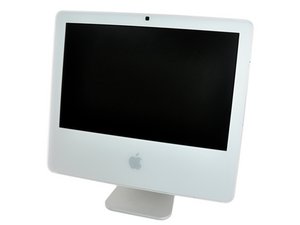
You can verify that you have a iMac Intel 17" by checking the processor information through "About This Mac" in the Apple menu.
Use the iMac identification system to help you identify your machine. iMacs tend to look very similar, and it's important to know which machine you have before ordering any replacement parts.
The iMac Intel 17" was the first desktop Mac based on an Intel processor.
Past 24 Hours: 9
Past 7 Days: 59
Past 30 Days: 331
All Time: 310,213


