
AirPort Extreme

|
2 Answers 0 Score |
Turning an iMac display panel into an external monitor |
|
1 Answer 3 Score |
Diagnostic LEDs (4th red) |
|
3 Answers 2 Score |
Accidentally plugged into 220V outlet, what can I do? |
|
9 Answers 6 Score |
Replacing the capacitors on a iMac G5 |
These are some common tools used to work on this device. You might not need every tool for every procedure.
1.6 GHz, 1.8 GHz (EMC No. 1989), 1.8 GHz (EMC No. 2055), 2 GHz
There are no troubleshooting guides for the iMac G5 17" Model A1058 at this time.
You can cost-effectively upgrade a number of components in the iMac G5 17" Model A1058.
You can verify that you have an iMac G5 17" Model A1058 by checking the processor information through "About This Mac" in the Apple menu.
Use the iMac identification system to help you identify your machine. iMacs tend to look very similar, and it's important to know which machine you have before ordering any replacement parts.
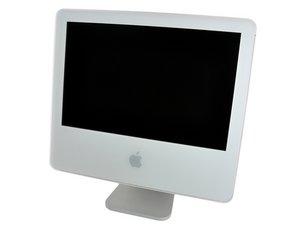
The iMac G5 was a series of desktop Macintosh computers designed and built by Apple Inc. using the PowerPC chip architecture. It was the last line of iMac computers that used a PowerPC chip, making it the last of the iMacs that could run Mac OS (Classic) applications.
Past 24 Hours: 3
Past 7 Days: 46
Past 30 Days: 220
All Time: 240,149


