Battery

|
12 Answers 26 Score |
why are my apps flashing then going back to the home screen when i tap |
|
2 Answers 0 Score |
wifi doesnt work on my iPod touch |
|
4 Answers 51 Score |
My ipod is locked and I forgot the password |
|
22 Answers 7 Score |
How to fix my iPod touch headphone jack? |
These are some common tools used to work on this device. You might not need every tool for every procedure.
A1288 16 GB, A1288 32 GB, A1288 8 GB
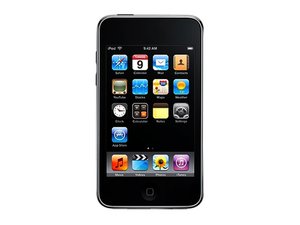
The iPod Touch is a portable media player, personal digital assistant, and Wi-Fi mobile platform by Apple Inc. The iPod Touch adds the multi-touch graphical user interface to the iPod line and is available with 8, 16, or 32 GB of flash memory. It includes Apple's Safari web browser and is the first iPod with wireless access to the iTunes Store.
The iPod Touch 2nd Generation features external volume controls, a built-in speaker, a contoured back, built-in Nike+, and Bluetooth support.
Use the iPod identification system to help you identify your iPod. They tend to look very similar, and it's important to know which one you have before ordering any replacement parts.
Past 24 Hours: 10
Past 7 Days: 84
Past 30 Days: 360
All Time: 635,905