
AirPort/Bluetooth Board

|
4 Answers 0 Score |
Mac mini does not boot into any mac os |
|
4 Answers 2 Score |
Which SSD disk is compatible with Mac Mini Mid 2010 |
|
1 Answer 0 Score |
Fan full speed after booting and no video signal |
|
2 Answers 1 Score |
Using DDR3 PC3-10600 rather than DDR3 PC3-8500 |
These are some common tools used to work on this device. You might not need every tool for every procedure.
A1347 (EMC 2364 Macmini4,1) 2.4 GHz (Core 2 Duo, Mid 2010), A1347 (EMC 2364 Macmini4,1) 2.66 GHz (Core 2 Duo, Mid 2010)
You can cost-effectively upgrade a number of components in the Mac mini Mid 2010.
* Hard Drive: A 320 GB hard drive comes standard with the Mac mini Mid 2010 non-server model. You can upgrade the drive to 750 GB.
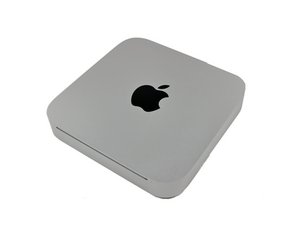
The Mac mini Mid 2010 is easily distinguishable from its predecessors. The 4th iteration of the Mac mini has an aluminum unibody case, which matches most of Apple's product lineup for 2010. On the underside of the mini is a black circular twist-off cover, which can be easily removed to gain access to the computer's internals.
Some of the most notable changes from the previous Model A1283 mini are of course the unibody casing, as well as the addition of an SD card slot and an HDMI port. One item that is missing on the mini, though, is the power brick, since it now has an entirely internal power supply. The Mac mini Mid 2010 is also noted for being the most energy-efficient desktop computer, using less than 10 watts of power when running at idle.
The most often replaced Mac mini A1347 parts include the RAM, logic board, and SSD.
Past 24 Hours: 24
Past 7 Days: 167
Past 30 Days: 734
All Time: 287,805





