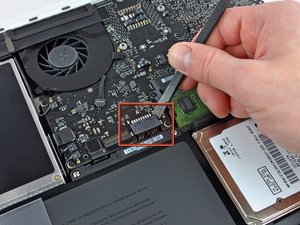
AirPort/Bluetooth Board


|
17 Answers 4 Score |
My display is slowly fading to white. Why? |
|
3 Answers 12 Score |
Battery not detected, won't charge; strange connector on logic board? |
|
2 Answers 2 Score |
Display issues, darker on one side of the screen |
|
13 Answers 13 Score |
SMC won't reset. Is there another way? |
These are some common tools used to work on this device. You might not need every tool for every procedure.
A1342 (EMC 2350 MacBook6,1) 2.26 GHz, A1342 (EMC 2395 MacBook7,1) 2.4 GHz
Track down a number of hardware problems using the MacBook Unibody Model A1342 Troubleshooting Guide.
There are a number of components in the MacBook Unibody Model A1342 that can be cost effectively upgraded.
The MacBook Unibody Model A1342 was released in October 2009. It is rounder on the edges than other laptops in the MacBook line. This model has an LED-backlit display, a glossy palm rest and uses a multi-touch glass trackpad. The bottom of the this MacBook features a rubberized non-slip finish. It lacks Firewire and has a combined audio in/out port.
Use the laptop identification system to help you identify your machine. MacBooks tend to look very similar, and it's important to know which machine you have before ordering any replacement parts.
Here are the diagrams and schematics for the A1342.
Past 24 Hours: 40
Past 7 Days: 229
Past 30 Days: 1,039
All Time: 1,029,667