








|
13 Answers 11 Score |
Magsafe connector Scalding hot when charging |
|
5 Answers 3 Score |
Buzzing, grinding noise coming from rear and centerish? |
|
1 Answer 0 Score |
How can I reset my 2011 MacBook Pro |
|
5 Answers 8 Score |
MacBook Pro battery not charging after spilling liquid on it? |
Parts
Background and Identication
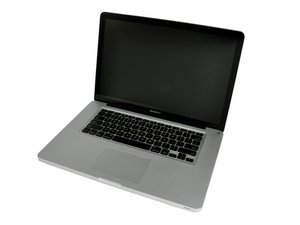
Apple released the MacBook Pro 15" Unibody, the second-generation of the Macbook Pro, in October 2008 with a new aluminum upper case machined from a single aluminum block. This generation is termed the “unibody” model because the case of the laptop is machined from a single piece of aluminum. Compared to past models, the Unibody had a thinner flush display, a redesigned trackpad where the entire surface was a single clickable button, and a redesigned keyboard. More changes included moving the MacBook Pro’s ports to the left side of the case and optical disc drive slot from the front to the right side, similar to the MacBook. Later updates brought options for the Intel Core i5 and i7 processors and introduced Intel’s Thunderbolt technology.
With the exception of the 2.53 GHz Mid 2009 model, all 15" Unibody models feature both integrated and dedicated graphics processors (one for power saving casual use and one for graphics-intensive processing). All models have two RAM slots for an easy upgrade with PC3-8500 or PC3-10600 RAM chips (depending on the model). Any 9.5mm SATA hard drive will work in these notebooks, and SATA superdrives are used in the 15" Unibody MacBook Pro. The original MacBook Pro Unibody came with a user-removable battery that was claimed to last for five hours of use.


