


How to remove swept screw with dremel mototool


|
9 Answers 8 Score |
Why is my MacBook Pro’s fan coming on so often? |
|
5 Answers 11 Score |
Ram Upgrade: can I use DDR3L instead of DDR3? |
|
5 Answers 7 Score |
Black screen and fan revs no chime |
|
5 Answers 1 Score |
Why is my hard drive registering as ASMT 2115 Media? |
These are some common tools used to work on this device. You might not need every tool for every procedure.
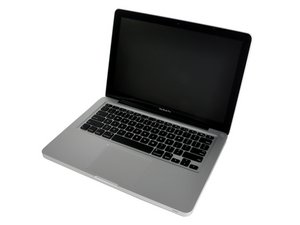
Apple's first Unibody 13" MacBook Pro was an aluminum laptop released in mid 2009 with the second generation of MacBook Pros. Previously, Apple had only offered the Pro model in 15 and 17 inch varieties starting in 2006, but decided to upgrade and rebrand the white, polycarbonate 13 inch MacBook to offer a smaller model in the Pro lineup.
This new MacBook Pro would also feature an aluminum unibody, and would move from the previous user-removable battery design to one that was located underneath the bottom case. Along with these changes, they also included an SD card slot, Firebolt 800 port, and improved screen. This model included the one-piece, clickable trackpad similar to more modern models, enabling multi-touch gestures. These early MacBook Pros received generally positive reviews, and are still sought after for their reliability and serviceability. This model was produced until 2012, and was the last to feature user-replaceable memory and a disk drive.
Common problems with this model include a failing hard drive cable, which will significantly slow the computer, leading to frequent crashes. Luckily, iFixit’s got your back, and you can order a replacement hard drive cable here.
Users can find help with identifying their MacBook Pro laptops here.
Past 24 Hours: 196
Past 7 Days: 1,057
Past 30 Days: 5,119
All Time: 1,521,150