Motherboard

|
3 Answers 10 Score |
How to replace a broken scanner glass? |
|
4 Answers 4 Score |
Why is my printer stuck on the screen with the HP logo? |
|
4 Answers 5 Score |
Loud ratcheting noise from printer |
|
4 Answers 2 Score |
Paper will not feed into printer |
These are some common tools used to work on this device. You might not need every tool for every procedure.
For simple instructions for common solutions go here to the HP Photosmart C4780 All-In-One Printer Troubleshooting Guide.
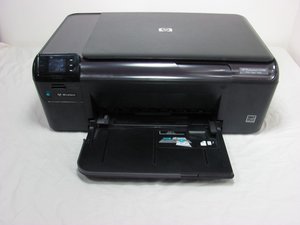
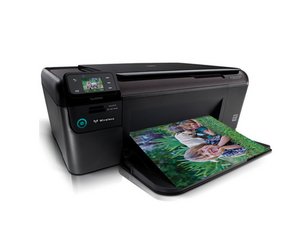
The Photosmart C4780 All-in-One printer is relatively compact, weighing in at just over 10 lbs. The modern design integrates a mixture of matte and glossy blacks on the casing with HP logos on the outside of the paper tray and scanner lid. This printer supports Print, Copy, and Scan functionality.
Like many low-cost printers, the C4780 became popular when Apple ran a deal for college students where you could get this printer for free with the purchase of a MacBook Pro in 2009. However, these have a high TCO and are often recycled in a few years when the ink gets too expensive or they are no longer needed when the cost becomes obvious.
This printer uses HP 60/60XL Tri-Color ink cartridges. 60XL ink is more expensive but more economical than 60 standard cartridges.
Like any Tri-Color printer, there are instances where you will find your color cartridge is considered "empty" because one color was depleted. You can check this by the weight of the cartridge and refill the empty color(s) to revive these, but this will NOT CLEAR the ink empty flag, so you have to monitor print quality. However, these disposable printhead HP printers are happy to ignore the levels and just nag you. This is potentially messy but revives the cartridge.
The best mitigation for this is to use all 3 colors equally as often as possible.
HP Customer Care: Solve a Problem for HP Photosmart c4780 All-In-One Printer

Past 24 Hours: 1
Past 7 Days: 4
Past 30 Days: 30
All Time: 31,464