Click Image To Zoom
Customers also bought
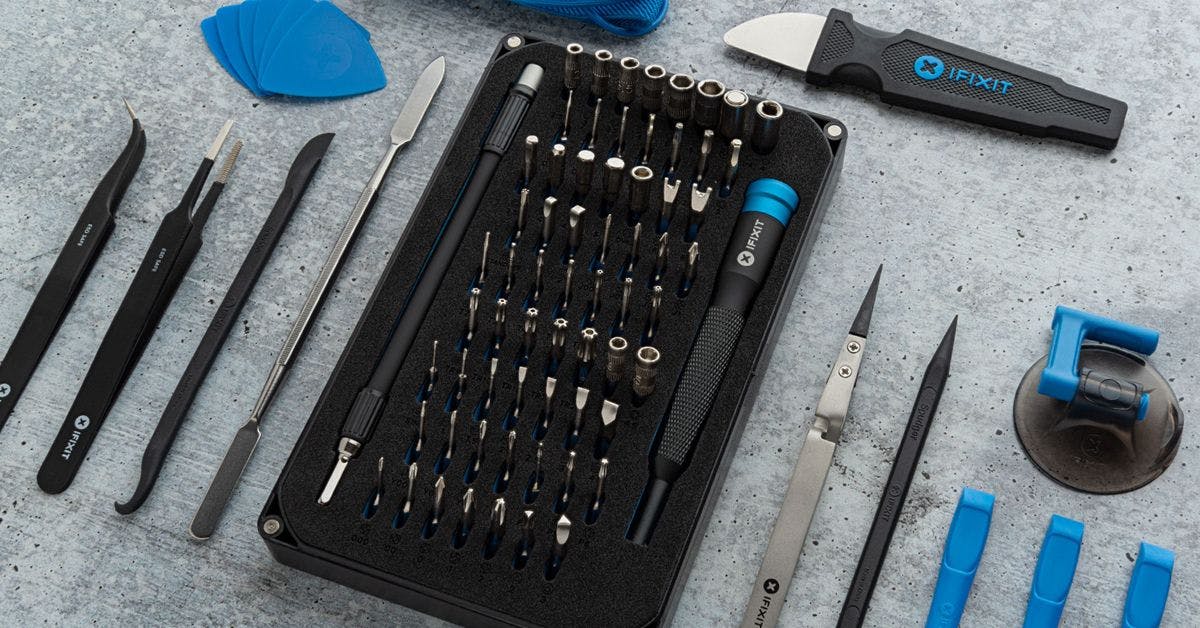
Pro Tech Toolkit
$74.95
Dust Blower
$7.95
Share this Product
Installation Guides
MacBook Core 2 Duo
Difficulty: Easy
MacBook Core Duo
Difficulty: Easy
MacBook Pro 13" Unibody Mid 2009
Difficulty: Moderate
MacBook Pro 13" Unibody Mid 2010
Difficulty: Moderate
MacBook Pro 15" Core 2 Duo Model A1211
Difficulty: Moderate
MacBook Pro 15" Core 2 Duo Models A1226 and A1260
Difficulty: Moderate
MacBook Pro 15" Core Duo Model A1150
Difficulty: Moderate
MacBook Pro 15" Unibody 2.53 GHz Mid 2009
Difficulty: Moderate
MacBook Pro 15" Unibody Late 2008 and Early 2009
Difficulty: Easy
MacBook Pro 15" Unibody Mid 2009
Difficulty: Moderate
MacBook Pro 15" Unibody Mid 2010
Difficulty: Moderate
MacBook Pro 17" Models A1151 A1212 A1229 and A1261
Difficulty: Moderate
MacBook Pro 17" Unibody
Difficulty: Moderate
MacBook Unibody Model A1278
Difficulty: Easy
MacBook Unibody Model A1342
Difficulty: Moderate
Compatibility
| MacBook Core 2 Duo |
| ||||||||||
| MacBook Core Duo |
| ||||||||||
| MacBook Pro 13" Unibody Early 2011 |
| ||||||||||
| MacBook Pro 13" Unibody Late 2011 |
| ||||||||||
| MacBook Pro 13" Unibody Mid 2009 |
| ||||||||||
| MacBook Pro 13" Unibody Mid 2010 |
| ||||||||||
| MacBook Pro 15" Core 2 Duo Model A1211 |
| ||||||||||
| MacBook Pro 15" Core 2 Duo Models A1226 and A1260 |
| ||||||||||
| MacBook Pro 15" Core Duo Model A1150 |
| ||||||||||
| MacBook Pro 15" Unibody 2.53 GHz Mid 2009 |
| ||||||||||
| MacBook Pro 15" Unibody Early 2011 |
| ||||||||||
| MacBook Pro 15" Unibody Late 2008 and Early 2009 |
| ||||||||||
| MacBook Pro 15" Unibody Late 2011 |
| ||||||||||
| MacBook Pro 15" Unibody Mid 2009 |
| ||||||||||
| MacBook Pro 15" Unibody Mid 2010 |
| ||||||||||
| MacBook Pro 17" Models A1151 A1212 A1229 and A1261 |
| ||||||||||
| MacBook Pro 17" Unibody |
| ||||||||||
| MacBook Pro 17" Unibody Early 2011 |
| ||||||||||
| MacBook Unibody Model A1278 |
| ||||||||||
| MacBook Unibody Model A1342 |
|
Stories
My Problem
I record a lot of music and it was starting to devour my disk space. I needed to either get a new computer or upgrade my hard drive. Some friends recommended I come to ifixit.
My Fix
Smooth, easy and quick. I never dreamed it would be that smooth and simple.
My Advice
Youtube tutorials if you have any questions.
My Problem
I wanted a bigger hard drive for movies and photos, and a back-up drive as well, on the Macbook A1342 Late 2009
My Fix
Easy and fast. I installed the 750 GB 7200 RPM Seagate using the Upgrade Kit after using SuperDuper to back up. Every step was easy to follow and the hardware change took less than 30 minutes. I am very happy and will use these guides again on my family's 4 macbooks. Thank you all for an excellent guide.
My Advice
Do it, piece of cake. The hard drive is quieter than the original. I also changed a battery and upgraded Ram to PNY 8GB on my Macbook A1342 late 2009 model 13 inch. It's been running great with noticeable speed increase in very hot weather in the Philippines with no Air Conditioning, no cooling or noise issues.
My Problem
Hard drive died—I thought it was gone for good
My Fix
success! replaced HD, now running Lion
My Advice
remember to keep your screws organized—but really, the process was easier than pie.
My Problem
Básicamente porque la capacidad del disco duro de mi Macbook era de risa y necesitaba más espacio para hacer cualquier cosa. Llevaba mucho tiempo cansado de el tipico mensaje de "su disco duro se está quedando sin espacio...".
My Fix
Siguiendo la guia de ifixit ha sido muy sencillo de hacer. No he tenido ningún problema y, como tenía todas las herramientas que necesitaba gracias al kit que compré en ifixit, en unos 15 minutos ya tenía mi disco duro nuevo instalado.
My Advice
Totalmente recomendable. Ha sido una buena experiencia y ha sido más sencillo de hacer de lo que pensaba. La guia ha sido lo suficientemente sencilla y a la vez completa como para poder hacerlo perfectamente.
My Problem
Old hard drive had become too small.
My Fix
Very easy repair. Followed the online instructions (clone old hard drive and after that replacing the new for the old one) and it works like a charm.
Nothing was challenging because of the absolutely flawless instructions.
My Advice
I'm extremely pleased. Super cheap, super fast and super easy.
My Problem
I needed to upgrade because of the amount of space I needed for video processing and storage.
My Fix
As far as replacing the drive and memory it was a breeze, the only problem was Microsoft Office.
My Advice
I am running Lion and office 2011 so I don't know about other versions, when you clone the drive to the new drive, the license for office doesn't initialize properly. In order to have office function you need to have a "Product Key". Since mine was an upgrade from 2007, I didn't have a 2011 key, and subsequently I had to buy a replacement disk from Microsoft for $29.95.
My Problem
Need for more memory and speed from the hard drive.
My Fix
A few hiccups but otherwise smooth.
My Advice
1) Have a system in place to keep track of your screws.
2) Clone the old drive to the new one before you do anything else.
3) Skip step 11 as suggested by others.
4) Lock your 4-year old in the closet for the duration of the repair. ;-)
My Problem
I recently inherited my wife's 2008 MacBook Pro when she upgraded. It had seen many miles of travel and work on movie set locations in good weather and bad, but was still working and had a great image on it's screen for video and picture editing. Shortly after it fell into my hands, though, it gave up the ghost, and the hard drive died a noisy death. Everything had been backed up, so there was no panic, but I liked my hand-me-down MBP! I looked at new ones, but thought I'd give it a go at replacing the drive.
My Fix
The drive replacement (and upgrade) could not have been easier! it took about 10 minutes and went so smoothly that I didn't have time or reason to take any pix! (sorry) Everything was as illustrated in the iFixit on-line instructions and the included cool little tool kit made the repair a breeze!
My Advice
Don't be afraid of your computer! Really, this repair could not have been any easier unless I just pointed and the drive installed itself! And take pictures so you have something to post here because you'll be done before you know it.
My Problem
I was having what I thought was a software compatibility issue with an application upgrade. I asked a friend whose familiarity with Apple software & hardware far exceeds my own to check it out and found out my used MacBookPro wasn't such a bargain after all. The hard drive had no partition even though it was fully loaded and had worked well for over a year. After several attempts to recover the HD and partition it properly we discovered it had some bad sectors. I investigated a little and found your site. I'm a full time handyman with an AAS degree in electronics so I felt right at home on your site.
My Fix
The repair was made much easier with the online tutorial complete with pictures. I honestly believe I could have done this without any of my experience or background, it was that easy! Thank you for your commitment to repairing and recycling. Yours will be the first stop in any future troubleshooting with my Apple products.
My Advice
Have some cotton swabs and a damp cloth handy while you have the case open. It was a good opportunity to clean some of the dust out of the areas around the fans and speakers.
My Problem
My wife's mid 2009 13 in MBP was running slowly and she had used almost all of the space on a 250 gb drive. Installed the 750gb Seagate hard drive upgrade kit and 8gb PC3-8500 ram.
My Fix
Using the Guides provided on this website, I was able to replace the hard drive and ram chips in 40 minutes.
My Advice
A very easy job. The MBP is much faster and the wife is pleased.