
 3
3  3
3 How do you fix a mouse that's too slow and acts erratically?
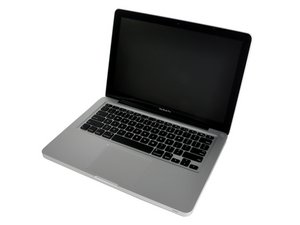
My trackpad has been acting erratically for the last few months. By "erratically" I mean it starts jumping around on the screen by itself moving and clicking, becoming practically uncontrollable with the trackpad because scrolling becomes really slow and is overpowered by the cursor's own movement. At first this went away if I let the computer sit for a little while. Then it became continuous and now I am forced to use a USB mouse with it. Without the USB mouse the cursor does not always move by itself, but is always extremely slow - much slower than a normal responsive trackpad would be, even at the highest speed setting.
My question is what I should do first to diagnose the issue? From searching a few forums, I found that it could be an issue with the trackpad, motherboard, or the battery pushing up on the trackpad if the battery is bad. A new unibody shell or motherboard are pricey, so I want to be sure before I buy one. Unfortunately I don't have other old macs available that I could salvage for parts. How do I go about diagnosing/ fixing this?
PS - at the moment my CD/DVD port is not accepting disks so I cannot boot from a disk
I appreciate any help!!
Is this a good question?

 359
359 
5 Comments
Is there something you're not disclosing? Like a fall or liquid spill?
by originalmachead
The laptop has never fallen. I have used it in the kitchen before though, and at times the mouse movement happened after I used it with wet hands (I try to dry them but there is always leftover water). It always went away afterwards though, until the last time it happened.
The CD problem is not connected to the mouse problem because it's a physical obstruction issue, I have something stuck in it I think. I have been waiting to take it apart because I didn't know if I would be replacing the battery at the same time. I don't want to take the laptop apart too many times.
I don't have an external optical drive at the moment. I am guessing I should take care of the CD drive first so I can test the trackpad by booting to a CD?
by Vera
I would - you don't have to screw it down after replacing the optical drive to run the hardware test... but you should leave it on the workspace unti you finish with repair (don't go carting it around with the topcase just resting on it)
by originalmachead
Same is Happening to Me I Tried Your idea But it Didnt Help Im using my DELL Windows 7 To Post This and My DELL The one Im Using Is Slower Than My Mac!
Im going To Buy a USB Mouse and use it instead They Are Betta I Think So I dont Really Know I think I Might have RAM/CPU Isues But Maybe The Battery Or Something Non Of The Youtube Videos Helped At all If Anyone can Reply to Me?
That would Be Amazing and my Key Under The A on my DELL Windows 7 And Im Very Very Sad Please REPLY AS QUICK as You can Any Help?
Please!
by CTahmid
CTahmid - For future reference you posted a Question in the place where only Answers belong. Please use the add comment link to the O.Q., a particular Answer or, start a new Question of your own. Replace the Trackpad if RAM is not the problem.
by originalmachead