
 207
207  156
156  62
62 Mac Pro won't wake up from sleep with Mountain Lion
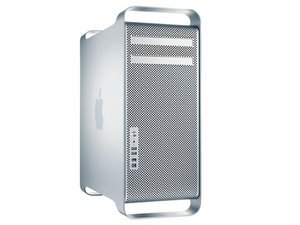
Hi! My Mac Pro 2.8GHZ 8-Core Early 2008 won't wake up from sleep mode now that it has Mountain Lion. I have found it asleep a few times now, and pressing the power button doesn't wake it up. When I manually put it into sleep mode, it has the same problem.
I've set Energy Saver to never go to sleep, and that seems to work, but it would be nice to not have to do that. A friend's identical Mac Pro with Mountain Lion is not having this problem.
Any ideas?
Thanks
Is this a good question?
Score
2





6 Comments
UPDATE: My friend's Mac Pro actually ISN'T waking up from sleep mode either! So this does not seem to be a problem specific to my machine.
by rdklinc
My Mac Pro has the same trouble - never able to wake up again!
by Brigitte Bergmann
Hello, my early 2008 mac pro is also suffering the same problem, it comes out of sleep briefly then goes back into sleep and can't wake it so have to reboot. Annoying to say the least.
by dazcins
My 2008 Mac Pro is having the same issue 10.8.1. Won't wake from sleep. Sometime I can wake it by plugging or unplugging USB and FireWire drives. Sometimes it just shuts down and I loose everything. BAD.
by mrlumiere
All the answers here is for when you manage to wake the Mac up, mines fallen asleep and I can not wake it up - can someone help me with this? I have tried everything from just pushing the button ones, turn off+unplug+wait+plugin+start, key press to reboot...
Any other ideas?
by L Aron
Show 1 more comment