
0
Score
Asked
Factory Settings Reboot Malfunction
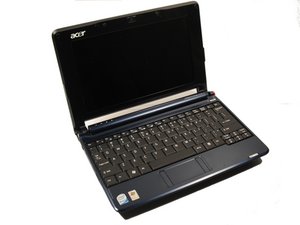
My computer had a virus on it, and I couldn't fix it manually so I decided to restore it to factory settings. I did the process, however upon restarting I get a message saying that I need to insert the boot disk. My netbook has no disk drive. Basically now it is a box. What do I do? I got this netbook about two years ago and it was already used for how long. I have no warranty.
Edited by: pollytintop, osvaldo, mayer, Account, and machead3 ( )
2
Score
oldturkey0
88.2k
Answered
Accepted Answer
ryzcamacho, try using the Acer eRecovery Management. You can launch it in two ways:
- By pressing the hotkey <Alt> + <F10> during the boot-up process, or at any time when you are running Windows.
- From the Start menu, go to Start > (All) Programs > Empowering
Technology > Acer eRecovery Management.
This will of course only work if you still have the partition on your drive. If you do not have it, you will need a USB CD drive as well as an ORIGINAL Windows disk and the Acer drivers. To boot from an attached USB drive, power the computer and press f12 when the logo shows on the screen, there you select the USB drive as the boot drive. Install Windows as usual. Hope this helps, good luck.
Can you access the Bios? Can you set a USB port as booting device?
oldturkey03,