0

Score

Avatar
DonnaL
1

Asked

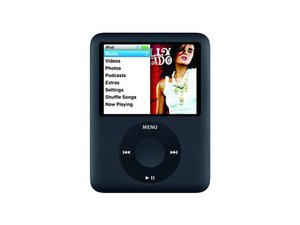
Can I transfer songs from my iPod Nano to an iPod Touch?

History

I was given an iPod touch and was wanting to transfer all my music from my older iPod Nano 3rd Generation to the iPod Touch. Is this possible?

Edited by

I had my older iPod at college and used friends computers to download music. I don't have access to those computers or music libraries anymore.

DonnaL,

Have any of you tried "Pod to Mac" free download?

DonnaL,

Have you got a link for it?

mayer,

I haven't tried it, but here's the link. it's free to try or $19.95 to buy: http://www.podtomac.com/

iTronics Repair,

Yes I have a link: http://download.cnet.com/Pod-to-Mac/3000... Thanks for all your help! Will let you know if it works.

DonnaL,

Post Answer

4

Score

Avatar
bac
5.1k

Answered

Accepted Answer

PermalinkHistory

another way is to manually copy the hidden music files on your iPod nano to your computer, then transfer from there to your iPod touch using iTunes. Here's how:

First enable Disk Mode on your iPod nano, then connect to your computer and it will mount on your desktop.

next, follow these instructions (for Mac or PC) to show hidden files on your Mac or PC. You will then be able to navigate to and see the hidden directory on the mounted iPod volume

For example on a Mac, the iPod's music files will now be visible in subdirectories of the mounted volume in:

/Volumes/[YouriPodName]/iPod_Control/Music

now copy the entire contents of the iPod_Control/Music folder to your hard disk, and then later drag the resulting copy to iTunes and then sync your iPod touch

very good bac, I didn't know this +vote

mayer,

That's generally my favorite way

rab777hp,

3

Score

Avatar
Ben Eisenman
53.6k

Answered

PermalinkHistory

The only way I am aware of is to use a program like Senuti to pull the songs from your Nano onto iTunes. Then unplug the Nano, plug in the Touch, and drag the songs from iTunes onto the Touch.

Good luck!

1

Score

Avatar
iTronics Repair
1.3k

Answered

PermalinkHistory

If you're asking if you can go directly iPod to iPod, then the answer is no.

But otherwise, just see the other answers about getting music from your iPod to your computer. I also use iPod->Folder and iPodDisk (both for mac though).

0

Score

Avatar
mayer
121.9k

Answered

PermalinkHistory

iPodrip will also do the job and will work with both Mac & PC. Senuti is Mac only. http://thelittleappfactory.com/irip/?gcl...

0

Score

Avatar
rab777hp
12.6k

Answered

PermalinkHistory

Besides all the ripping suggestions people have- how did you get the music currently on your nano? If it's still in iTunes and you sync it regularly, just sync the same iTunes library with all your music to the Touch.

0

Score

Avatar
Josh Calvetti
3.7k

Answered

PermalinkHistory

Contrary to some other answers, it is actually possible to move music directly from iPod to iPod. You can use an app called Misu (OS X) or iPod2iPod (Windows) to fuse the two libraries together.

0

Score

Avatar
sbdfhs
1

Answered

PermalinkHistory

Unfortunately, although the Nano can show as a "drive" on My Computer, the Touch doesn't.

The copying the hidden folder option is the best way around this, as it is a very good way of copying your ipod's contents to a different computer without using itunes.

The only problem is that the original mp3 names will be renamed to four figure codes - fhgd, vbgh etc.

To find out which file is which, set the the folder they are in to display 'details' and you will see their titles. you will probably find that importing them into itunes for the Touch will display the names, but you may find some that do not appear properly and will need editing via getinfo.

Edited by

Add Your Answer