Another solution. Worked for me (mostly). Hope it'll last... I'm telling the whole story because frankly I don't know what's the problem really, just made it working. I think that someone can take it from here an maybe help more people with this problem.
---
TLDR: I've teared mac to pieces, cleaned it, put it back together and it worked. But it's not because of cleaning it must be a software problem.
---
I have a Mac Air mid 2011. About six months ago my left shift started failing. Couple of weeks later it died, no response. Shortly after my left alt did the same thing.
I've noticed that that's a common problem and read all there is on forums. Most of them ended with "replace the keyboard". But some stated that this could be a software problem and so I started digging.
I tried everything.. an I mean EVERYTHING. Reseting PRAM, VRAM, deleting the keybord files, system reinstall, you name it. At this time I was sure that it must be software related because as you know by now reseting the rams requires the alt key to be pressed. And it worked every time. But after system boot it just didn't anymore. If you have the same case, read along and maybe you can find your answer.
So digging deeper a found some forums for repair services, and there were some talks about voltage on connectors, and on another one someone said that he just had to clean the connectors. So having nothing to lose I teared apart my Mac to the ground, took some alcohol (for cleaning) an canned air and went through all pieces one by one. After putting it back together I turned it on and... all keys worked!
At this time I had to admit it was a hardware problem and close the case. I even thought of sharing the story on forums, but decided that the solution is already on it so it'll be a waste of time.
And then... i mean today...
My son asked me to install minecraft fo him on my mac. So i did. What's funny is that I didn't even launched it. But when I sat down to write some stuff afterwards I cried internally... My shift didn't work... And I wouldn't think of minecraft but this was the only thing that happened before it worked and stopped. And what was wierd is that my ALT worked perfectly.
So I uninstalled Minecraft, and restarted the system. Still doesn't work.
So I clear the pram/vram whatever.... It started working! But... sometimes (rarely) it doesn't...
Conclusion: I'm now 95% sure it's a software problem. And the fact that it worked after teardown and then stopped is just a proof. I think that disconnecting all the parts had to reset some kind of memory, and reseting the rams by manual is not "thourough enough". I'm pretty sure someone will find the solution that doesn't involve replacing the keyboard.
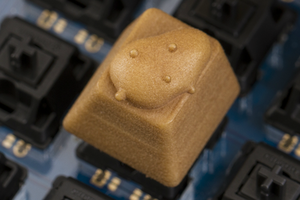
I know it's not 9gag but... here's a potato keycap for the long post...


 2
2  2
2 
 359
359 








9 Comments
I've had the exact same problem while fixing a friend's spill damaged Macbook Pro 13 inch. After the spillage, left shift key seemed to be always on. I replaced the keyboard with a new one and tested it last night, everything worked fine. Today, the left side shift, option, and command key do not work. Looking at Keyboard Character Viewer showed nothing when depressing those keys. I haven't tried trashing the com.apple.keyboardtype.plist file yet, though.
Richard, have you had your issue resolved? I, too, was thinking this is a hardware issue, like you said, maybe a contact on the keyboard ribbon cable/socket is faulty, the one that controls those keys (if they are, in fact, grouped together.)
by trx0x
So strange. Left speaker and subwoofer were not plugged in. Fixed that and now shift control option all work. How is this even possibles?
by SamHill
Turns out speaker was not it. Issue came back the next day. Ideas? Tried a new keyboard again. No luck
by SamHill
Hello, I have the same problem. Had you solve it?
by jerg01
i have the problem with my macbook
by bill scharton
Show 4 more comments