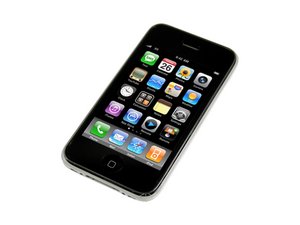
How to copy contacts to SIM card in an iPhone 3GS?
How can I copy my contacts from the iPhone (3GS) to my SIM card so I can have a copy of it?
Is this a good question?
Score
3

Rep: 193
 3
3
 3
3
 1
1
How can I copy my contacts from the iPhone (3GS) to my SIM card so I can have a copy of it?
Is this a good question?

Rep: 31
2
1
iPhone does not support directly copying of iPhone contacts to the SIM memory. Easiest would be to
1.Transfer iPhone contacts to PC
2. Use a third-party SIM manager program in combination with an external USB SIM-card drive for your PC in order to save the iPhone contacts from your PC to the SIM card.
3. You are all set!
Having a jailbroken iPhone complicates matters, as you cannot use iTunes to sync your iPhone contacts to Outlook or Windows contacts in order to transfer the contacts in both steps 1. and 2. you need to use third-party programs.
Was this answer helpful?
Rep: 25
1
You cannot copy iPhone contacts to the SIM. The iPhone does not store or reference contacts on a SIM. The iPhone contact format is not compatible with a SIM; it has a lot more information than a SIM can contain.
The way to protect against crashes is to sync your iPhone to Address Book on your computer on a regular basis. This is how the phone is intended to be used.
You can copy contacts to another iPhone by syncing with Address Book on your computer.
Was this answer helpful?
Rep: 25
1
As I know , you can not copy your contacts from the iPhone (3GS) to SIM card, but you can transfer your data, including photo, songs, videos and playlist and more. The program allows you to back up and restore all of your iPod, iPhone, iPad or iPod Touch content like your favorite songs, videos, photos, play lists and more.
If you want to protect your data, you can try to use iPhone transfer tool.
Good luck!
Was this answer helpful?

Rep: 1
3
1
While copying contacts to sim some contacts if data loss occurs then you can recover them back to your iPhone 3GS by applying iPhone 3GS contacts recovery tool. This tool is free to use. So apply it and get your inaccessible data back. Download this tool for free from http://www.iosdevicerecovery.info/iphone...
Was this answer helpful?

Rep: 781.6k
1.1k
893
2.3k
Moshe Epstein, there are iPhone applications that allow you to transfer your contact information from your contacts list to your SIM card. The iPhone will have to be a Jailbroken one, for the apps to work. The ones I know are Simanager and iSim. iSim was originally for the original iPhone, so you might have to check on it. Here isa description on how to do it. There may of course be other apps, so you might need to look around. Hope this helps, good luck.
Was this answer helpful?

it coule be done via simanager from cydia, its a free app.....
Was this answer helpful?

Actually, this is very easy and simple to do.In this case first of all you will go to the menu in your phone.Then you will go to contacts.After that you will click on the names option and go to and click on the mark all option.Next you will click on the copy marked option and click on the from phone memory to sim card option.Then all contacts will be copied in your sim card. You can also use this way to transfer contacts from iPhone to outlook.
Was this answer helpful?
how to go to names option after being on contacts?
Rep: 1
1
1
You can use FonePaw iOS Transfer or iTunes to transfer contacts to iPhone. As for iTunes, you can also connect your iPhone to the computer which has iTunes on it and you can sync the contacts to PC. As for FonePaw iOS Transfer, you just need to connect your iphone to the computer and then choose the contacts and transfer them to iPhone.
Was this answer helpful?

Rep: 1
3
1
Let me say, you can use MobiKin Assistant for iOS software to transfer contacts from iphone to computer. It work well and you can transfer various data from ios device to computer, like Contacts, Text messages, Photos, Music, Video, eBook, Notes, Safari Bookmarks, Voice Memo, Podcast, Ringtone, Playlist, etc. You can have a try!
Was this answer helpful?
Rep: 1
1
If your SIM card supports it, you can import SIM contacts to your iPhone. Learn how.
iPhone doesn't store contacts on the SIM card. If you want to transfer contacts between iPhones, you can use iCloud to backup or transfer content between devices.
Import contacts stored on a SIM card
If your iPhone isn't using the SIM from your old phone:
1. Make sure that the SIM card from your previous phone can fit into your iPhone
2. Remove your iPhone SIM card and replace it with the SIM card from your previous phone.
3. Tap Settings > Mail, Contacts, Calendars > Import SIM Contacts.
4. Wait for the import to complete.
If you swapped SIM cards in step 1, remove the SIM card and replace it with your iPhone SIM card.
Open Contacts and make sure that the contacts imported.
The contact information imported from a SIM card depends on how your previous phone stored information on the SIM card. For more help with importing contacts from a non-Apple phone, check the manufacturer’s website, app store, or contact your carrier.
More information you can read here:
Was this answer helpful?
Past 24 Hours: 0
Past 7 Days: 0
Past 30 Days: 1
All Time: 56,473

3 Comments
This question was migrated from http://meta.ifixit.com/Answers.
by iRobot
You can import an electronic business card, also called a vCard, into iCloud Contacts. If the vCard contains contact information for more than one person, each contact becomes a separate entry.
1. In iCloud Contacts, choose Import vCard from the Action pop-up menu , which appears at the bottom of the All Contacts list or a list of group contacts
2. Select a vCard to import.
The contacts from the vCard are added to the All Contacts group in Contacts. You can add the contacts to any other group by dragging them to the desired group.
Or you may use iPhone Transfer instead.
Here's a guide that you may follow to achieve:
How to Transfer vCard Contacts from Computer to iPhone 6s
by Francisco Martim
It's old topic. You can easily transfer contacts from iPhone to PC, and then you just have backup on the computer. Suggest you use FonePaw iOS Transfer. It's a nice transfer with simple use and friendly interface. http://bit.ly/1rmOxgr
by tommmmmy233