
2
Score
tony montana
25
Asked
Can't Restore iPod- unknown error occurred (1416)
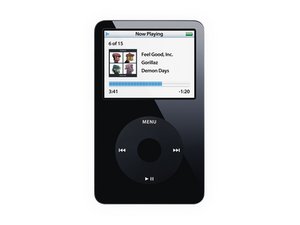
I had an issue where my 60GB 5th Generation iPod ran out of juice and then could not be recharged. I bought and installed a new battery. With the new battery, the disk made clicking noises and could not be restored. Here's my story since then:
- I bought a new 80GB hard drive and installed it.
- The new hard drive could not be restored in iTunes
- I bought and installed new ribbon cable to no avail
- returned hard drive and ordered new one.
- Installed 2nd 80GB HD installed with new cable
- Itunes detects iPod and tells me it needs restoring
- I get error: The iPod "iPod" could not be restored. An unknown error occurred (1416)
- I can put iPod into Disk Mode but it does not mount.
- I tried erasing iPod in Disk Utility but it fails with the following error: Disk Erase failed with the error: Resource busy
- I tried repartitioning
- I tried the Terminal reformatting technique and came back with Resource busy.
- I opened in Drive Genius which can detect iPod, give me info on it and am performing an integrity check on it right now. DG failed to erase iPod.
- Tried opening in Disk Warrior, but did not detect iPod.
- I can scan the iPod with data recovery software.
Any other ideas out there? I've used my macbook pro as well as a PC to no avail. To sum up, new battery, hard drive and ribbon cable. What else could I try?
Edited by: tony montana ( )
5
Score
oldturkey0
88k
Answered
tony montana, give this a try. I know sounds cheesy but go ahead, just in case. Plug your cable into the computer but not the iPod. Hold down the menu and the center button until the apple sign appears, then as quickly as you can hold the center button and the play button down. When the disk symbol shows up in the middle of the ipod, plug your ipod cable into the usb port. Now if that does not work and you have access to a Mac here are some instructions I got from somewhere of the internet and kept them on my ipod service manual site So got to give credit to the unknown author ;-)
First, connect the iPod to your computer and open Terminal. Type:
diskutil list
You will get a list something to the effect of:
/dev/disk0
#: TYPE NAME SIZE IDENTIFIER
0: GUIDpartitionsc
1: EFI 200.0 Mi disk0s1
2: Apple_HFS Macintosh HD 931.2 Gi disk0s2
/dev/disk1
#: TYPE NAME SIZE IDENTIFIER
0: Applepartitions
1: Applepartitionm
2: Apple_MDFW 64.0 Mi disk2s2
3: Apple_HFS Hobbsit’s iPod 27.9 Gi disk2s3
So, disk 0 above is your computer's internal HD and disk 1 is your iPod in this case. Remember the number of your iPod disk.
Open Disk Utility. You have to unmount the drive to make it formatable without the "Resource in Use" error..... So, eject the disk in Disk Utility (the application).
Once ejected, go back to Terminal and type this command:
sudo diskutil eraseDisk HFS+ iPod disk1
Where the "1" in disk1 is replaced by whatever number your iPod appeared as in the list from the diskutil list command. You may be prompted for your admin password, type it in if prompted.
Once the iPod is formatted, pop open iTunes (if it does not auto-pop) and restore it. Some users found that it would give errors when they disconnected the iPod. So instead to eject the iPod from the disk Utility, just left it there, then it should create the formatted partition. You should now restore it from the itunes. I do hope it helps. Again I can not verify the Mac instructions since I am a PC person...yes I know ;-) Good Luck and let us know how it is progressing.
Thanks for your help, but I already tried that. I tried again and got a message: Could not find the disk disk1. I use a mac, but also tried formatting on a PC and got an i/o error.
Would you by any chance have a Zif-to-USB adapter? You could try to check the HDD and bypass the logic board. Not that I am saying that you have a bad drive, but with that adapter you could try to format it as a separate drive independent from the ipod. Take a look at your dock connector make sure that there is no debris (like pocket lint etc) or corrosion. Also check carefully for bend pins. The reason why I say that is because you pretty much have already replaced everything that could play a role in that except the logic board itself.
tony montana, I just placed apple's Ipod HD scan on my fileserver. It only runs under Mac OS I believe. If you want to, download it and see if that gives you more info. http://www.keepandshare.com/doc/2765133/...
0
Score
Answered
Hello Tony Montana, you can try iTunes library function to resolve your issue that arise in your iPod. This application is a iPod program that includes algorithm to fix this error. But sometime this application takes long time to process and can make you bore or can't be able to resolve the reason behind this type of error.In such situation you can use Stellar Phoenix iPod Recovery Software to fix your problem.. For more information visit--http://www.stellarphoenixipodrecovery.co...
0
Score
Answered
Steps that I took to retrieve my 4th Generation iPod photo
with a 1416 error.
1. Charge the iPod to half on the wall charger
2. Open Terminal. Type diskutil list
3. Try and find your iPod
4. Type fdisk -e /dev/youriPod
5. Press 'y' to intitialise the partition table
6. Type edit 1
7. Type ? to get a list of the format codes
8. Type the code for say 'Fat-32' windows or HFS 'Mac'. Hit return
9. Don't edit in CHS mode
10.Type 63. Hit return
11.Type the end sector of iPod memory. Hit return
12.Type flag 1 Hit return
13.Type update Hit return
14.Type write Hit return
15.Type quit Hit return
16.Type diskutil list (you should now see your iPod unmounted)
17.Type sudo diskutil mountDisk /dev/yourneweri
18.Open Disk utility and format the iPod to the format you had chosen in step eight(8)
19.Run First Aid on the iPod (Mac) or chkdisk on the iPod (Windows) and clear any sector errors
20.Wipe the entire hard drive of any files or folders (Manually)
21.Restore the iPod
0
Score
Albert
1
Answered
0
Score
Susan
1
Answered
I had a similar problem. I did everything and was not successful using my personal laptop. I connected it to my work laptop and tried to restore it, and viola, I was able to restore it in record time. When I reconnected to my personal laptop, I was able to load all of my iTunes.
My assumption is that Norton was preventing me from successfully restoring it.