3
Score
mayer
148.5k
Asked
Cleaning the wireless & wired keyboards
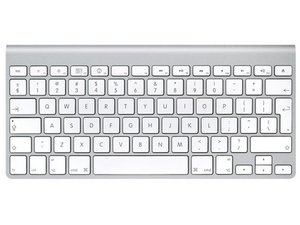
I did this teardown of the Aluminum Keyboard and was wondering what your thoughts were on cleaning it. It looks to me like I can just stick it in the dishwasher and let it dry for a couple of days if I take the power button, bluetooth board and batteries out on the wireless and just stick the wired in.
2
Score
ABCellars
13.7k
Answered
Accepted Answer
Actually the dishwasher is a very good idea. I would run the dishwasher 1 time through all of it's cycles to rinse it out and remove any left over soap residue. Dishwasher soap is caustic. - Nice guide
mayer I believe the force and of water from the dishwasher will helps clean the stuck on solidified gunk. I have used a dishwasher several times to clean out keyboards that I purchased from the thrift store or were given to me. I've never had it kill one. Water itself doesn't kill. It is the contaminates in water that kill - Ionized minerals which are salts. Salts conduct electricity and are corrosive. If you live in an area with hard water buy a gallon of distilled water or water that has gone through reverse osmosis and pour it over the keyboard as it is coming out of the dishwasher that will rinse away any contaminates that are in your water.
pollytintop for your wireless keyboard try this: _______________
2
Score
Gabe
5.2k
Answered
I just take a swab, alcohol and wipe it O_O. I'm not sure what you need to clean that requires a dishwasher...
Note: Apple Wireless Keyboard may not be used to hold food.
I took ours apart after a liquid spill.... I washed it in soapy water, rinsed/dried. Reassembled. Dead!!! Think a dishwasher is not a good idea
Mine holds food quite well, thus the need for the dishwasher. Jen - how long did you let it dry? I wonder if it was killed by the spill while it was on?
It pretty much died straight off! I took the batteries out and posted on here ages ago but the consensus was it was scrappage/unope
0
Score
Answered
I prefer to submerge it in Methylated spirits (batteries removed of course) for awhile then give it a burst with compressed air, leave it over night to dry (you could leave it for half an hour but I like to be sure) and its like brand new... if you do spill something on your keyboard disconnect the power or remove the batteries as quick as possible, its your best chance at salvaging it.
That adhesive is nasty! Took ages to pry open.. Well done for making a guide
pollytintop,
The thing I kinda wanted to show was that the keyboard was just not meant to be opened. The On/Off, and the bluetooth can be repaired as well as replacing keys but opening the body destroys it. I've had no problem washing Apples older keyboards as long as I let them dry.
mayer,
just dug out the keyboard again...the back on mine is plastic...that' s why I was able to use spudgers!
pollytintop,