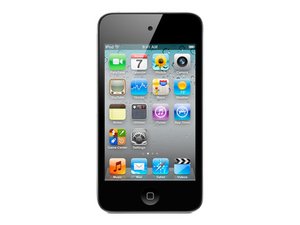
How to unlock a disabled iPod?
My iPod says it is disabled and to connect to iTunes, but when I connect it to iTunes it says I need to unlock the iPod before I do anything. I'm confused.
Is this a good question?
Score
233

Rep: 2.7k
 2
2
 2
2
 1
1
My iPod says it is disabled and to connect to iTunes, but when I connect it to iTunes it says I need to unlock the iPod before I do anything. I'm confused.
Is this a good question?

Rep: 2.5k
10
7
3
This problem has been going around for quite a while, Heres what you must do, However, be aware that this process will erase all data on your iPod Touch. To fix the disabled problem, you must go into DFU Mode and restore.
DFU Mode
Your iPod should be running again after this process. From this point you can restore to a backup, if there is one present.
http://www.youtube.com/watch?v=bITIiGswj... - This should help you out!
Was this answer helpful?
Tristans answer worked very well thank you and definitely go with his.
The first answer worked perfectly. My daughter's iPod had been pinched by at school. She managed to find it but the thief had tried to guess her passcode lock and it disabled. I'm so glad that I found this site.
Thank you all so much for posting answers I was stuck and she was not a happy bunny.
Worked Perfect!!! Helped my buddy reset his since he forgot his passcode and now it is fully functional!!!
what if you have no back up of the device? will itunes still work
it didnt work, my ipod keeps bringing up the usb cord and itunes symbol for regular recovery mode. my ipod will not go into dfu mode.

Rep: 784.3k
1.1k
894
2.3k
Here is my answer from Disabled 21+ million minutes? "Apple says "If you cannot turn off the device using the slider, press and hold the Sleep/Wake and Home buttons at the same time. When the device turns off, release the Sleep/Wake and Home buttons." Now there is a way to erase the password but I am not sure if this would work when you are already disabled. This will not erase any data on your device. I guess you can always try and hope you have a windows computer :-) anyhow you plug in your iPod. Open My Computer (or Computer for Vista). Click on Folder options and enable to view hidden files. Next go to iPod_control and click on the folder named Device. If your iPod is locked, there will be a file _locked . Rename the file to _unlocked. Remove your iPod and it will be cleared" you can also check on here My iPod is frozen says I pod disabled? Good Luck.
Was this answer helpful?
Very Interesting, Mr. OldTurkey.... I never knew this was an option.
We can use another easy way to unlock disabled iPod, with the help of the Eelphone iPod Unlock, detailed operation guide, and what we should do is to follow the guide, within clicks, we can unlock disabled iPod.

Rep: 73
1
1
Real Way---here are the directions......1.first you have your iPod usb connected to the computer in usb slot.2. hold the power button and home for 10 seconds.3.a slide power off option will appear then (ignore it).4.as soon as your iPod turns off you let go of the power button and not the (home).5.a apple logo would appear then you let go and in a few second a recovery mode option should appear on your computer.6.press (ok).7.it should take you to recovery mode you click (restore) and your iPod should go back to default options and everything will be just like it came out the box.(IMPORTANT)it will only work on the computer that you started your iPod on,My advice to you is if its stolen or found take your iPod to a apple store or if not maybe a repair shop because theres nothing you can do if you try to guess the passcode it will locked and it will be worst Than you think.!!!!!!GOOD LUCK:0
Was this answer helpful?
Check the answer given by Tristan on Apr 12 2011. Pretty similar, don't you think. What makes you think that you will have to go to an Apple store if "your" solution does not work? Rest assured, the other answers work very well...
My iPod doesn't turn on.

Rep: 73
1
1
first, connest to itunes. plug in your ipod to the USB and the plug. press the home and power button but ignore thhe red slide. it will turn off. once it is turned off, let go of the power button, but keep pressing down the home button. your ipod will go into recovery mode. then go to the itunes link you already had and click on the tab. follow its insrtuctions and your ipod will be unlocked!
Was this answer helpful?
how can I tune on my disabled ipad forgot my passcode

Rep: 49
1
#1: Hold power and home button for 10 seconds
Was this answer helpful?
thank you this was really helpful

Rep: 37
1
Connect it to itunes library you normally sync it with and restore it.
Or you could go to Apple support
Was this answer helpful?
Rep: 25
1
if you have a mac computer, put the plug into your i touch and turn on i tunes on your computer. now wait until sync in progress shows up on your i touch. cancel then put in your passcode and wala......... its fixed
Was this answer helpful?
what if you dont have a mac computer??????

Rep: 25
1
you unplug your ipod hold the start button at the same time plug in your ipod
Was this answer helpful?
thankyou so much this helped alot
this broke it
it doesn't turn on

Rep: 1
7
Take the charger out of the iPod but let stay in the PC. Then hold the home button and plug in the device without letting go. Keep holding until a message says something relevant to what I'm saying and it will walk you through the rest.
Was this answer helpful?

Rep: 145
3
1
First try to restore your iPod from backup. To do that, connect your iOS device to the computer you sync it to and, in iTunes, click the Restore button. Follow the onscreen instructions and in a few minutes your device should be usable again.
If that doesn't work, or if you've never synced your device to iTunes, you need to try Recovery mode.
It will definitely work and I hope your problem with disabled iPod will get solved.
Thanks
Was this answer helpful?

Rep: 49
2
This may happen after you entered too many times' wrong passcode. It asks you to connect to iTunes is actually let you put your iPod into recovery mode. In this case, if you follow the traditional methods to hold home and power button, it will be impossible to enter recovery mode. So you have to force it into recovery mode.
Was this answer helpful?
i have tried to undisable my ipod but it will not let me as I need to go to the store to get it fixed
Was this answer helpful?
Past 24 Hours: 10
Past 7 Days: 56
Past 30 Days: 248
All Time: 321,600

29 Comments
How did it get disabled? What computer and what OS are you using? Win or Mac?
by oldturkey03
It worked!! HALLELUJAH!!! Thank you :)
by Nicole Grindstaff
i am using win and it tells me the same thing like the very first question on top where you had to like or dislike
by addisha Langlais
@guledabysinia iPad or iPod? If it is an iPad, what model is it and what have you tried?
by oldturkey03
how do you i get my ipod not disabled anymore plz help me this is my first apple divise i realy need it for church tomrrow
answer me back as soon as you can plz
by Megan Burchfield
Show 24 more comments