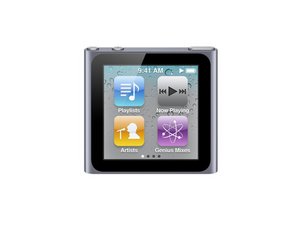
My nano screen is black
After connecting it to an external amp at work (or coincidentally) the nano doesn't respond to power button or usb line and stays off. It hasn't gotten wet. Help? thanks!
Is this a good question?
Score
0

Rep: 1
 1
1
After connecting it to an external amp at work (or coincidentally) the nano doesn't respond to power button or usb line and stays off. It hasn't gotten wet. Help? thanks!
Is this a good question?

Rep: 781.7k
 1.1k
1.1k
893
 2.3k
2.3k
krista lie, try the Apple solution first
Will not turn on or screen remains dark
Connect iPod to power for at least ten minutes to ensure that the battery has enough charge to allow iPod to turn on.
If iPod does not turn on after ten minutes, try resetting the device while it is still connected to power. Reset the iPod by holding down the Sleep/Wake button and the Volume Down button for at least eight seconds or until you see the Apple logo appear.
If the Apple logo appears on the display, connect iPod to a computer and verify that it appears in iTunes and can play music. More information is on here Good Luck and let us know so we can help you further if need should be.
Was this answer helpful?
The power+ down volume fix worked for me! Thank you!
you are welcome
Power and down worked for me too thank you xx
Me too, the apple solute worked for me but after a day the screen went back to what it was before and now the apple solution doesn't work :'c
ابي يشتغل
Past 24 Hours: 0
Past 7 Days: 2
Past 30 Days: 6
All Time: 25,650
