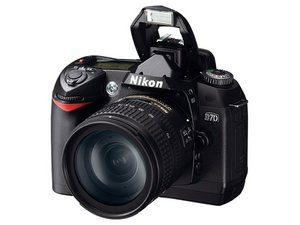
Getting a format error in both on and off positions
I've tried new media cards but cannot get any reaction from this step.
Is this a good question?
Score
2

Rep: 25
 1
1
 1
1
I've tried new media cards but cannot get any reaction from this step.
Is this a good question?

Rep: 782.1k
1.1k
893
 2.3k
2.3k
Jim this is what i found out so far. I am sure that you already know how to format you card but here it is again, don't mean to insult you but just in case. Place it in the camera.
There are 2 buttons on the D70 that say "Format".
They are both in red.
One on the top right button of the camera and the other is to the left of the viewfinder.
Press them at the same time for 3 seconds.
The LCD will blink "For".
Press the 2 buttons again. This should be it. http://www.ehow.com/how_5125786_format-m... Now I do know that if the green light close by the memory card slot blink you have a BGLOD (blinking green light of death) and apparently Nikon will still fix these even if your camera is out of warranty :) Also, you are using the Nikon approved media card only? Just to make sure because this camera is finicky about it. I would try and take your media card and place it in the media card slot of your computer (hope you are using one, sorry for the assumption) and see what it shows up as. Take one of those cards and format it with your computer and see if that makes a difference. I am sure, all data on your card will be erased, so be careful that you do not lose anything of importance. Also make sure that you format it as FAT not FAT32 or anything else. If it formats well in the computer and works in your camera, you know that it is not the card. Give this a try and see if it makes a difference. The manual I used is on http://www.kenrockwell.com/nikon/d70/d70... and this is a great source of info for people that have issues with the format http://www.tomshardware.com/forum/36652-... Good luck and I hope this will work for you.
Was this answer helpful?
Thank you!!! It worked for me!!!! That was easy!!!!
Thank you, this really worked after a couple of tries..
Very simple, direct, useful information. Worked ! Thank you.

Rep: 25
1
I found the problem that causes "FOR" and "CHR" to show and stop the camera working is dirty contacts from the card to the camera, I lightly sprayed electronic contact cleaner on the pins in the camera and the card sockets then plugged the card in and out 10 times, then make sure the card is formatted to "FAT" and all works, at least my has ever since.
Was this answer helpful?
Rep: 25
1
I had the same problem with a D70 and found that spraying the pins inside the camera and the sockets on the card with an electronic contact cleaner then working the card in and out several times stopped the problem,it appears the contacts tarnish and do not make a very good contact with the card.
Was this answer helpful?

The pins of card holder get loosen and disconnected by a certain time using CF, and some time your card it self get damaged when you use a defective external card reader which may be a cheaper quality,and remember when you insert a damage card in your working camera, it immediate broke or bends the pins of your camera's card holder. and the Result "CHA / For"
Was this answer helpful?
Rep: 25
1
The D70 is an old camera and probably has seen a lot of cards in it’s life…buy electronic switch cleaner and use a cotton bud/small paint brush to clean clean the contacts in the card slot, make sure camera is off while doing this.
NOTE: This electronic cleaner is one of the secret of the repair trade it will repair noisy volume controls, fix flashing torches and a hole host of other things with bad connections
Was this answer helpful?
Past 24 Hours: 0
Past 7 Days: 5
Past 30 Days: 10
All Time: 14,031

4 Comments
would you please give a bit more info? which step are you referring to?
by pollytintop
In trying new media cards I still get a "format" command on the panel. I know the media has been properly formated and should work.
by Jim
you have updated camera drivers, installed cards, chosen format from menu? you have the correct media cards??
by pollytintop
jim, have you managed to sort out this problem? if oldturkey's solution helped please accept it, thankyou
by pollytintop