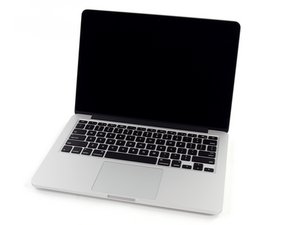
My mouse pad doesn't work
I can move mouse cursor but clicking by mouse pad is not working.
Is this a good question?
Score
1

Rep: 37
 1
1
 1
1
I can move mouse cursor but clicking by mouse pad is not working.
Is this a good question?

Rep: 5.1k
34
36
 6
6
Have you checked your battery? I had the same problem with mouse pad not working and an Apple technician took a look at it and it was the battery had swollen up so it had pressure on the top. Apple gave me a new battery and the mouse pad works like a charm.
Was this answer helpful?

Rep: 13
1
I had replaced my hard drive using directions from ifixit (thanks!). The key point is that the metal piece around the battery compartment was not quite in place right. When I put the battery back in I found that the mouse clicker no longer worked. I discovered it was the battery pressing on the button because the surrounding piece that held it in place was slightly off. Remove, reinstall fully in line and mouse issue solved. :)
Was this answer helpful?

Rep: 116.3k
66
68
359
Press the ribbon cable under the battery UP against the keyboard.
Have you had the keyboard off? If so you may have moved/broken/disconnected the little cable that goes to the switch.
Good Luck,
N.
Was this answer helpful?
Past 24 Hours: 0
Past 7 Days: 0
Past 30 Days: 2
All Time: 17,389

4 Comments
I'm a little confused as to what the problem is. Could you try being a little more specific? Is the button at the bottom of your track pad not working? When did it stop working? Is this a Mac book pro that has a separate button, or is it all just one piece?
by Nat Welch
I have the same one and mine isnt working either.
by gaby
I have a Macbook pro 17in and my mouse moves around on the screen, but does nothing when clicking or selecting an item.
I checked to see if the battery was swollen, and it is not.
I believe I need to replace the trackpad, but I'd like to make sure before doing so.
by Julian Valencia
Julian Valencia- For future reference you posted a Question in the place where only Answers belong. Please use the add comment link to the O.Q. or start your own Question.
by originalmachead