
1

Score

Avatar
Dennis Wurster
13

Asked

How to separate the LCD from the digitizer on 6th gen Nano?

History

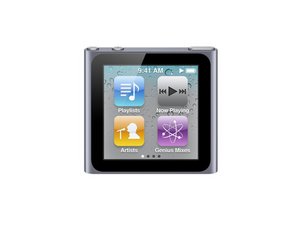
I want to replace a cracked digitizer on a Nano.

I found the 'removing the display assembly' instructions here at ifixit, but nothing about separating the digitizer (the glass) from the LCD.

Can anyone tell me if it's held on with more than just rubber adhesive? Can anyone provide pictures of the disassembly?

Edited by: rj713 and oldturkey03 ( ) , bushing ( )

Post Answer

1

Score

Avatar
frank
43

Answered

Accepted Answer

PermalinkHistory

From the instructions it says that the glass can not be separated from the LCD.

0

Score

Avatar
Eazy
337

Answered

PermalinkHistory

I've seen it done but don't recommended.

Reason why they don't just sell the digitizer(the glass).

But yes it only adhesive that you have to remove carefully.

If your removing a digitizer from a defect, water damage LCD make sure that the ribbon isn't damage or burned at the ribbons ends.

If they're good, then remove the adhesive carefully, do not damage the bottom of the digitizer(there's an invisible web to the naked eye). When removing the adhesive, I recommend not to remove all the adhesive from the glass.

Why because your going to compress it together and you need to know if your mounting it correct.

Forgot to mention use a x-acto blade #11.

Hope that helps. Good luck with that.

But if anyone know where just to get the digitizer(the glass). Let us know.

there are people who sell just the lcd on ebay for only $10

Jason,

Here you can find the digitizer replacement part http://www.repairsuniverse.com/ipod-nano...

FREDDY MUNOZ,

0

Score

Avatar
ypartsc
1

Answered

PermalinkHistory

I tried with 3 digitizer and is not imposible but very hard donotgo there u need to replace the whole unit, also when u add heat to the digitizer to open then nano it will burn the components that's why u neede to open on cold or very low heat avoid heater use any hair dryer and low heat. good luck.

Add Your Answer


