2

Score

Avatar
AndrewNoNumbers
73

Asked

Won't charge or sync

History

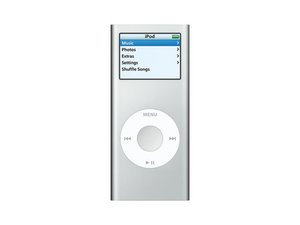
When I picked up my Nano after a year of non-use, the battery was completely dead (the battery did hold a good charge from what I remember before). I plugged my Nano into my computer, and Windows showed a "USB Device was not recognized" bubble. The Nano itself managed to boot up after a few seconds. However the battery bar shows a tiny red sliver rather than a charging sign and the backlight does not come on. As soon as I disconnect, the iPod dies. And trust me, I've tried multiple computers/USB cables/wall chargers.

So there's my symptoms. Any suggestions would be awesome. I'm quite clueless at the moment. It would seem like the battery's dead, since that seems to be common for an iPod at this age. However I don't understand why the iPod can't sync if it's only the battery that's dead. I mean, laptops can function perfectly fine on AC with the battery out.

Edited by

Post Answer

2

Score

Avatar
AndrewNoNumbers
73

Answered

PermalinkHistory

After some more research, I think I've found the answer to my own question. Anyone else can feel free to verify or refute my claim.

I have found two instances (here and here) of iPods not getting recognized by a computer due to lack of a battery. Therefore I conclude that iPods, unlike every other battery-powered device out there, requires a battery for proper function despite the fact that a charging cable is present.

That means my iPod's simply suffering from a dead battery. And because I've already fully disassembled my iPod, and Nano batteries are dirt cheap, I think I will be doing a battery replacement. Problem solved?

Except of course for the fact that an iPod will charge when tethered to a computer, so it would still probably function of f that power, just like AC, which makes me think Logic board, as like on laptops, I've often seen similar problems where the problem is the DC-in component. But as you say, nano batteries are dirt cheap, so go ahead and replace it, and if your problem prevails, I think we can conclude it's the logic board.

rab777hp,

And an up-vote for doing your own research and possibly answering your question.

rab777hp,

1

Score

Avatar
Liam Speirs
173

Answered

PermalinkHistory

Try holding the select and menu key down simultaneously for 10 seconds to reset the ipod then try to connect again.

My Nano has absolutely no power at all while it's disconnected, so I can't do that. And plus, it's booting up fresh every time I connect so it achieves the same purpose. I've also gone in to Diagnostics but couldn't really find anything useful.

AndrewNoNumbers,

So... you've tried multiple computers... So have any of the computers recognized it at all? Does it ever show up in itunes? Try reinstalling itunes or updating to the latest version try everything you can to get it recognized. Then if all else fails replace the battery as per ifixit instructions and try again! Liam Speirs

Liam Speirs,

All the Windows computers showed the warning bubble, and Linux computers didn't react at all. iTunes diagnostics shows that there's no iPod connected. I agree if there's no more suggestions I'll replace the battery, but as I said I don't understand why it can't sync if it's only the battery that's dead. Theoretically I should be able to sync it with the battery removed, right?

AndrewNoNumbers,

Can I ask why my response was downvoted? I'd like to know so I can avoid doing what I did wrong in the future. I believe suggesting a battery replacement as opposed to logic board was logical according to what andrewnonumbers said.

Liam Speirs,

Except that's not what you suggested, you suggested something which would not work given the OP's situation/information, as he said, it has no power.

rab777hp,

1

Score

Avatar
amedina0790
13

Answered

PermalinkHistory

dude my ipod has the same exact thing, how wierd, well anyway I wanted to tell you that if you find a solution if you can tell me.If you choose to replace the battery please tell me if that was the solution. thanks so much - Alexandra

No problem, I can do that (but you'll either have to watch this page or give me something to contact you by). And JW, what model is your iPod that this happened to?

AndrewNoNumbers,

You seem to have plenty of problems with your iPod's amedina!

rab777hp,

don't worry i'll keep watching this page for info. my ipod is a nano 2nd generation. thanks for the cooperation

amedina0790,

0

Score

Avatar
rab777hp
12.6k

Answered

PermalinkHistory

Sounds like a bad hard drive or logic board, I'm inclined to think logic board, you can get replacement boards here.

Remember this is a Nano, so no hard drive. I'm not sure about the logic board, but the thing still functions (play music, browse photos, etc) when connected. It's just that it doesn't charge up so once it's disconnected it dies. Does that qualify it as a logic board problem? If it does than I'm ditching it since the I could get a new Nano for not much more.

AndrewNoNumbers,

So it still functions? Update your original post with that info, thats important, now I'm less inclined to think logic board.

rab777hp,

I did mention the battery bar, which leads to the fact that the iPod can still display the menu and thus function.

AndrewNoNumbers,

0

Score

Avatar
rvalla007
1

Answered

PermalinkHistory

My iPod that I just opened for the first time Feb. 2010 is doing the same thing. It is a 2nd generation 8GB that I just never got around to using (I have a lot of iPods)...when I plug it into a charging source it works just fine but the second I disconnect it it dies and won't turn on. Any idea what it could be?

post this as a different question

rab777hp,

0

Score

Avatar
tad
1

Answered

PermalinkHistory

clicking these two buttons got mine to be recognized, still not sure whether the iPod will hold a charge, though...

0

Score

Avatar
kcarney1981
67

Answered

PermalinkHistory

Be sure to let everyone know if it now holds a charge

0

Score

Avatar
mitchellpriddis
1

Answered

PermalinkHistory

my 2nd gen ipod nano does the exact same thing, i reset it, reinstalled and updated itunes and tried multiple comps/wall chargers/chords so if you find anything let me know

Add Your Answer



