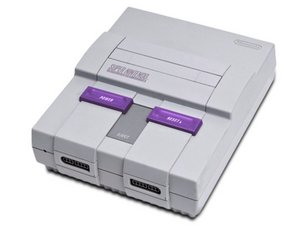
Why do I have no image?
My SNES powers on but I cannot see any image on my tv. I have tried the rca cables as well as the coaxial cable and still nothing.
Is this a good question?
Score
26

Rep: 325
 4
4
 2
2
 1
1
My SNES powers on but I cannot see any image on my tv. I have tried the rca cables as well as the coaxial cable and still nothing.
Is this a good question?

Rep: 200
3
4
1
Ensure that you have a known-good game cartridge inserted before powering on the SNES console. Most older, cartridge-based game consoles don't boot without a game installed.
Does the power light to the left of the controller ports turn on when you turn on the power switch?
If not, check your power adapter and outlet for functionality and good connection.
Check that the reset switch is not stuck. Wiggle it back and forth through its range of motion a few times. If something sticky gets in there it can get jammed in the reset position, which will prevent any game from booting.
You mentioned that there is no image. Are you getting any sound from your games after waiting a few minutes with everything connected and turned on?
If you hear game sounds or music from the SNES, but see no picture and you've already (really and truly) ruled out the cabling and TV, then you might have a bad main board in the console.
If you don't get any video or sound, then it's not booting your game. You can find other recommendations about how to clean game and console connections, but usually inserting and ejecting a game 10-20 times will knock loose or grind off enough gunk to get a game to boot. Try this, and be sure to use the eject lever instead of ripping the game out to avoid console connector damage. If it's still not working, repeat with another game.
Was this answer helpful?
My system doesn’t have a power light. I didn’t get a picture or sound. Cycling the cartridge in and out about 40 times as described in your solution solved the issue. Thanks!
All I get is a blue screen or no signal...I’ve thoroughly taken apart and cleaned the pins and game...I’m at a loss on what to do.....

Rep: 73
2
I've been working on this issue for the last few months and I'll tell my findings so far so whoever is googling this answer might have success finding the root of the problem.
Got a SNES console, originally it booted on with just a black screen. No sound, no picture. So I checked some forums out and a bunch of them said to deep-clean the console because it might just be a bad pin connection. Opened up the console, revealed the pin connector, cleaned it out with 99% isopropyl alcohol (Costco, 10$ gets you 4 good-sized bottles of the stuff,) as well as the contacts on the board where the Pin connector joins in. Turns out there was all sorts of dust and bits of debris in there, and once I cleaned it all up.. It turns on and boots the game!
Open up your system. Clean the pin connector.
Problem #2.... now the system starts up and loads any game I shove into it, but it only plays for a minute or two then randomly shuts the game off but the power is still flowing to the system (Red light is still on)
This is the current issue I'm having with one system.
Other suggestions I've come across are that the PPU or the VRAM chips might be burned out on the motherboard, or one of the video caps has decided to die. Video caps however are extremely easy to replace if you've ever done some minor soldering before, so check to see if any of the caps or bloated/burned out/look dead and then try replacing those.
If it's a PPU or VRAM chip... I'm not quite sure how to fix that yet. Working on it.
Good luck to all your folks out there.
Was this answer helpful?
Timeless Games update;
Problem #2 has been solved when the system would randomly shut down. If your system is still in pieces, then chances are you didn't have the heat-sink screwed together to the board. After I put the whole thing back together the SNES worked like new.
Working on a few other SNES consoles with the black screen of death, when you're putting a cartridge in then just lift it up like.. a teeny-tiny bit and that usually gets the game working again. Give it a shot.
Hey @krackleking I've come across a very similar issue to this. My cousin presented me a SNES hidden away in a closet at our Grandma's house. I had modified the SNES to accept Super Famicom games and put in Breath of Fire (Japanese) to test it out. The system worked fine and brought it over to my cousin. He then hooked it up to his TV and nothing worked. I've since brought it back home and I can't get any SNES game to load. Sometimes just a black screen. Sometimes just music or a "loading screen" of sorts. I'm definitely going to give your suggestions a go and see what's going on in there.
Thanks for the detailed problem sovling there. I'll let you know how mine makes out with your suggestions.

Rep: 49
1
I know this post is super old but I had the same issue and I found a fix. Turns out the power cord was bad even though the little red power light went on. I must have been getting enough power for the light but not enough to turn on the system. Hope this helps somebody.
Was this answer helpful?
Thank you so much!!! I’ve been trying to get mine to work and I happened to have another power cord and it was exactly this issue!
Yes! 100% was our problem too. Thanks to this information, we bought a new adapter and it works perfectly!

Rep: 157
1
Clean the carts. It worked for me
Was this answer helpful?
I just bought and received an super 110 in 1 cartridge.i plugged it into my gamegenie and the screen came on.i selected an game to play but the screen did not come on.then I turned off my super nes and the gamegenie came on.then I pressed start but the game screen did not come on at all.then I tried just putting the game itself into my super nes and the game did not come on at all!! What do I do?do I have to send it back and get an replacement?please send me an email with your reply to guthriedavid14@yahoo.com.please help me!!

Hello, my problem is that I got a snes and when I turned it on and I find that the screen turns black in both video and channel, take apart, clean the connector with isopropyl alcohol, check that the board is not short, check the fuse, try another source and various games.
But the failure persists, when turning the console on and off, note that it emits a download sound and the screen goes black as if receiving a signal.
any of you have any idea what else can it be?
Was this answer helpful?

When I plug the av adapter into the TV and connect the super Nintendo up there isn't anything no sound or picture either
Was this answer helpful?
Past 24 Hours: 25
Past 7 Days: 223
Past 30 Days: 940
All Time: 155,374

2 Comments
I am still not getting anything. I tried all the tricks that you said and even have the cover but still have no picture. Do you think that I may have to replace the pin connector...I changed the 72 pin connector for an original NES and it worked.
by Jonathan
Jonathan, you shouldn't have to replace the pin connector unless it feels really loose, like the game practically slides out on its own. Besides, it takes soldering skill that the NES didn't require.
by BWest