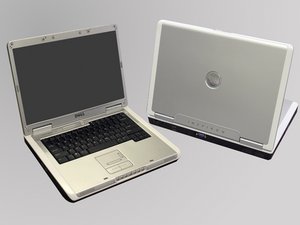
forgot password at boot up and cant get into windows
forgot password at boot up and cant get into windows was woundering how to fix this
Is this a good question?
Score
69

Rep: 133
 2
2
 2
2
 1
1
forgot password at boot up and cant get into windows was woundering how to fix this
Is this a good question?

Rep: 39.4k
88
58
100
I assume your running Windows XP. If you have an Administrator account, it doesn't have a password by default. If you can log in as that, you can change your other user's password going to Control Panel/User. Select the account and select change password.
If you don't have an admin account, shut down and restart. While the computer is booting, press F8 to enter the Boot menu and boot in safe mode. Select Run from the start menu and type control userpasswords2. Select the account and select reset option. Type a new password into new password and confirm and your done.
Was this answer helpful?
+
Thank you! That was quite helpful.
Thank you so much!
Save mode want password too.
hello I'm vskylark, I have a dell inspiron 6000. when i turn it on, it goes to a screen saying (this computer is protected by pass word authentication, cannot access data without correct password) then it ask to type in system or administrator password. I tried the F2, F8,F12. is there anything else i could try? Thank You

Rep: 103
2
1
I get computers donated to me which I rework and give
to folks who can not normally afford one.
Some of these have passwords unknown to me. There is
usually a shorting plug somewhere on the logic board
that lets you clear all passwords. It is usually labeled.
Sometimes you get lucky and there is a diagram inside
the case that shows where everything is.
Was this answer helpful?
what is a logic board?
What is a shorting plug ? And how do I find it?
Forgetting passwords is a real hassle,all i know, which is good at password recovery /reset for Windows computer/laptop : https://www.recoverywindowspassword.com/
So easy,you should do something like this: https://www.mobiledic.com/windows-topic/...
Don't worry, unless your computer is dead, I've done it several times on my computer.
Rep: 1.3k
4
5
4
All you need to do is for resetting BIOS password you need to take your motherboard`s backup battery off for about 10 mins and then put it back to turn your system on again. If the problem still persist then you need to do the same process for like 20 mins so in this way your password shall be reset.
Was this answer helpful?
I need a system password
Rep: 13
1
My desk top computer dell i forgot the password then i reboot pressing F12 and entered bypass password then prompt a box
DELL DECURITY MANAGER
This computer system #62LD5W1-1D3B, is protected by a password authentication system. You can not access the data on this computer with out the correct password .Please type the system or administrator password
Was this answer helpful?
I have a Inspiron 6000 Dell laptop I have one password in the internet options for the content advisor supervisor password required for this and I don't know it can anyone please help me out with this.

Rep: 13
2
Download and run De-CMOS2
Check the box "Clear CMOS" and Click proceed
And that's all
Restart and enter bios with no hassle......
Was this answer helpful?
wao, this is great and wonderful. thanks
If you cannot start your windows, how can one download De-CMOS2?
Download it from enother pc to removable disk and run the de-cmos2 to clear cmos data to default..

Rep: 13
1
I can boot up Bios and add password since I don't have one. Then I boot up to password screen and don't remember it so how can I bypass that screen and go to windows 10.
Please help me.
Was this answer helpful?

Rep: 913
2
2
2
if u cant even get into windows then try this.
1-st easy road on the log on screen pres ALT-CTRL-DEL and on the classic logon that will apear trype Administrator on the user and blank pass
if u have the built in admin enabled and did not set passw to it when installing it will boot nicely and then u can change ur users pass in the controll panel users menu.
2-nd road simply get from someone or download from someone Hirens boot cd and when booting from hirens u will find among its tools the reset passw tool witch will let u reset any users pass in ur pc to blank .works on any pc on any user and will solve this problem 100%
Was this answer helpful?

Rep: 31
1
If you have a repair disk, of course you can try it to crack Windows password. But if you don't have maybe you can consider using Ophcrack. Most time it is helpful but cannot guarantee 100% successful reset.
Was this answer helpful?
Past 24 Hours: 1
Past 7 Days: 10
Past 30 Days: 42
All Time: 262,039

18 Comments
My Dell computer has password in setup option, i cant run my boot sequence because is unlocked and i have forgotten the password what should i do?
by pamelamichael99
Hi edeye
just looking at your question looks like you got windows ..if its a boot up issue i cant help you. but if you can reset your windows password to login then this might help http://www.digitalgrog.com.au/software/r...
by no way
i have a inspirion and my kids use it but i cant get in . i dont know the username and password. How can i reset it?
by Lakisha colar
You may need a Windows password recovery program to reset your windows password. iSeePassword may work for you. http://www.iseepassword.com/windows-pass...
by Lucious Nicole
BIOS Setup wont accept capitals. If you thought you entered a capital it may have been omitted.
by jennie
Show 13 more comments