
3
Score
Naoyuki Tai
149
Asked
Hard disk replacement - battery removal required?
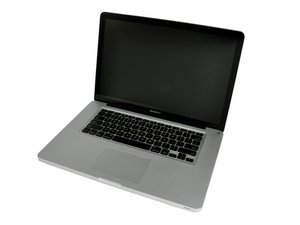
I looked at the hard disk replacement of MBP 15" mid 2010.
The process includes removing the battery but it does not look like the battery is in the way of replacing disk.
Is the battery in the way of disk that I cannot see, or "disconnect the power source from machine while servicing" is the reason?
Has anybody replaced the disk without disconnecting battery?
Thanks
Edited by: David Hodson ( )
4
Score
Answered
Accepted Answer
Just for safety reasons, you should disconnect the battery. It won't hurt the computer or your settings, and you won't run the risk of shorting something out.
3
Score
rj713
39.6k
Answered
If you take your computer apart without removing the power source you risk destroying your logic board. It won't happen every time as is evident from nicks answer but it CAN happen. I personally would not take the risk of a very expensive repair. My advice is remove the battery--it was included in the guide for a reason. Good luck. Ralph
1
Score
nick
15.7k
Answered
i did this with my early 2009 17'' unibody for safety reasons,so unplug it
but i installed a 512GB SSD so i finally had the courage to get a SSD and boy,are they fast!
To everyone that helped me out with the harddrive potentially failing,it did start to fail so here is a tip,back it up quickly after it starts to give up!
One hint inconstant reading,corrupt
and these HDD drives silently fail!
1
Score
xcetra
13
Answered
According to the Apple user guide for replacing the hard drive, they don't mention taking out the battery - probably why the battery screws are of the less common tri-wing screw. Even though you're trying to prevent a potential shorting of the logic board while taking out the hard drive, you are also risking a short by trying to take out the battery (which seems the same difficulty as taking out the hard drive).
Since I can't find the tri-wing screwdriver, and the Apple manual doesn't say to take out the battery, I will just be careful taking out the hard drive.
0
Score
Answered
i bought a hard drive from here on ifixit... the seagate momentus 750 gig/ 7200, and the screws for the battery have five points, not three!?! i also had missing mounting screws that i replaced from a local apple store (luckily they has a few in back)... at any rate, i tried to install the OS (snow leopard) by booting holding down option as i powered up with the new drive (not removing the battery, since the tool kit i ordered only had torx and tri point tips)... my question is why won't the drive from ifixit show in an option button boot up, and why wont the boot from cd go any further that the opening sound and apple screen? any one else have this issue?