
0
Score
Brownbaile
101
Asked
Won't power on?
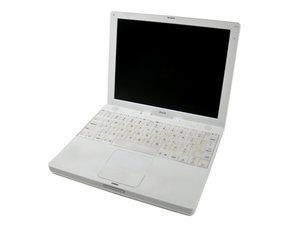
I have a 600MHz iBook (16VRAM). It currently will not power on at all. No fan, no clicking, no noises whatsoever. It previously would only start up if plugged in and then you could run it off the battery, but would not start off battery alone. I had it unplugged too long (while powered off I think) and the battery dried up. It's now at full charge again, but nothing I've done has had any effect.
The light glows green when plugged in, and is able to fully charge the battery, but right now this is the extent of what this computer can do.
I've had it apart, DC is attached fine, nothing loose or bouncing around. Tried to reset the Power Manager, etc. It seems dead, I'm suspecting the logic board, but because it was working (somewhat) fine before I thought I'd ask for some suggestions.
I now have the computer almost fully apart. I removed the hard drive. Is there a way to test without having to put everything all back together and without putting in another hard drive? Perhaps with a bootable usb drive or OS install cd?
I don't want to waste my time putting it all back together again, only to find out that it was the logic board all along... :(
1
Score
rj713
33.9k
Answered
Hi, I am including a link to Apples troubleshooting guide for your problem. Hope it helps you. Ralph
Thanks, but that's where I started, went down the line and stopped at "If you tried all of the steps above and the computer still won't turn on, contact Apple technical support (1-800-APL-CARE in the U.S.) or take your computer to the nearest Apple Store or Apple Authorized Service Provider (AASP) for diagnosis. If you plan to visit an Apple Retail store, make a reservation at the Genius Bar using http://www.apple.com/retail/geniusbar/ (available in some countries only)." Came to this site, tried some more and I think I've hit the end in the line of possible solutions. Can you think of anything else it might be?
The only other thing I can suggest is to remove the top cover and use a small screwdriver to short the power switch connections, (step 32) Be very careful you don't short something out. If it starts this way you need to replace the switch--if not you may need to replace the logic board. http://www.ifixit.com/Guide/Repair/Insta...
I confess to being out of ideas. I would take it to a genius bar for a second opinion before replacing the logic board because of the cost. Sorry I couldn't help you more. Ralph