

 3
3  1
1 Trackpad partly stopped functioning after tea spill?
Hello,
A few days ago I spilled tea over my MBP, and quite a lot. It was all over the trackpad, bottom right part of the keyboard and right speaker. I immediately held my MacBook upside down, turned it off and gravity helped out a lot: almost everything still works.
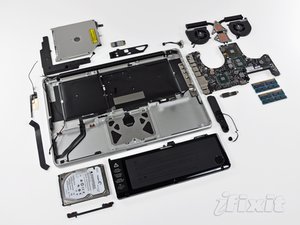
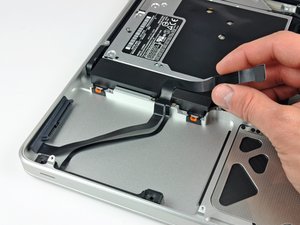
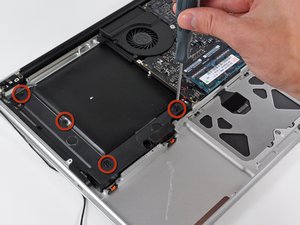
Afterwards I opened the back cover to remove any moisture inside the case. There was some but not too much. All crucial parts in that area (harddisk, battery, optical drive) luckily still work, I've removed the keys that got wet and removed the moisture under them, so I'm pretty sure most of it is dry now :-)
I do have one big problem now: the button functionality of the trackpad is gone. The first day after turning it on again, it still worked, but if I clicked the 'click' sound you normally hear was really soft. Probably due to water under the glass trackpad. Now, the sound is exactly as it should be, but I cannot 'click' the pad anymore (no left or right mouse click). (multi-touch) taps and swipes still work.
Does anybody have any ideas? I've seen this thread:
But it's related to an older model trackpad, the one without the button integrated in the glass, so the part number mentioned there is not for me.
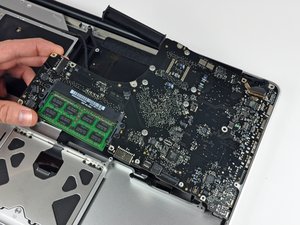
Would it help to open up the case again and remove the battery? Would I be able to clean the trackpad from inside then, or is there another layer in between?
Thanks a lot for any help!
Kind regards,
Pieter
Is this a good question?

 359
359 








6 Comments
hello pieter i'll be interested to know how you did, because i got the same problem now,thanks
regards
by sylvain tregouet
You wrote a comment in the Answer Only space. Please use the Add Comment button.
by originalmachead
I just had the same problem. I spilled hot chocolate on my macbook air, but my screen turned black, it gives the sound that it is turning on but no light and the charger port does not light up when connected. Any idea what damages are and how to fix this. this is my life computer, can't afford to lose it or pay for repair. Please help asap.
by Guerline A. Bailey
Hi Guerline,
I'm sorry I don't have any experience with a MacBook Air.. that device is quite different from a 2009 MacBook Pro, and what you describe sounds more serious than the issues that I had. If you spilled hot chocolate over the keyboard and/or the on-off button, the damage might be more extensive (e.g. the System Management Controller, controlling the charging of the device and other vital functions, might be damaged). For this kind of issues I can't help you, my only suggestion is to go open up the device, disassembly it as much as you can (using the assembly / disassembly guides on this website!), and then carefully assess if there is any residue or other contaminants, and clean it very carefully. I hope others here can provide you more guidance on how to do that.
If cleaning up the internals of the MacBook doesn't work, the only remaining option I can think of is to go to a repair shop / Apple Store for more professional assistance.
by pietervanw
Get a USB Bluetooth mouse and connect it to your macbook.
Then follow this link - https://www.tekrevue.com/tip/disable-mac...
It will disable your trackpad so you'll have to work with your keyboard and mouse only. Looks oldschool but works for me :)
by Jomar Gregorio
Show 1 more comment