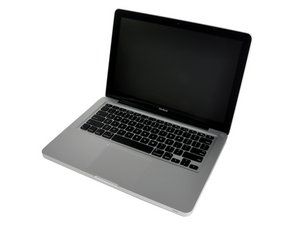
How much RAM can I install in my laptop?
What is the maximum RAM you can install in a MacBook Unibody A1278?
Is this a good question?
Score
10

Rep: 121
 2
2
 2
2
 1
1
What is the maximum RAM you can install in a MacBook Unibody A1278?
Is this a good question?

Rep: 685.3k
3.4k
1.1k
2.6k
There are six machines in the A1278 Model. Some will take a maximum of 6 GB of RAM and some will take 8. So Bac is the only one here that gave a correct answer. Machine identification is critical and answers given without that information are just guesses.
Was this answer helpful?
UPDATE - I talked to my RAM supplier yesterday. He said that with using different sized chips you loose RAM interleaving and they should be installed in matched pairs for best performance.
using different sized chips you loose RAM interleaving and they should be installed in matched pairs for best performance.
I've looked at actual benchmarking tests. The improvement is so small as to be insignificant for most purposes. Better to have more RAM, and its attendant benefits, than to keep a smaller amount in the mistaken belief of a non-interleaving performance hit.
+ colleen - please send me a link to that so I can call my RAM supplier and poo poo him
If your model can utilize 6GB you can also get the benefits from interleaving by installing 2 X 4GB, even if it only uses 6GB.
There's these:
http://eshop.macsales.com/Reviews/MacBoo...
http://eshop.macsales.com/Reviews/Framew...
http://www.mackb.com/Uwe/Forum.aspx/mac-...
Here's one where the last post claims you can discern a difference in computers where the system RAM is shared with the graphics (like the MacBook):
http://forums.dpreview.com/forums/readfl...
Google is your friend. I can't remember the original thing I read, which was a year or three ago...
Other World's test were actual usage, not benchmarks.
Rep: 9.8k
52
32
12
according to various sources, including this one, and also Mactracker, you CAN install up to 6GB of RAM in the MacBook Unibody A1278 (aka MacBook Late 2008)
the same source mentioned above also mentions that real-world testing shows an almost negligible performance difference running match RAM modules vs running 2GB + 4GB
Was this answer helpful?
my Macbook Unibody takes 8mb Ram and shows: 8 GB 1067 MHz DDR3 on the 'about mac' screen
I have a late 2009 Unibody Macbook and just put 2 for GB modules in giving me:
8 GB 1333 MHz DDR3. Also Running a 1TB SSD on it, and El Capitan. All ok so far but a bit apprehensive...

Rep: 323
5
2
I installed 8GB in my late 2008 Unibody Macbook. Make sure you have the appropriate firmware upgrade:
http://blog.macsales.com/9102-secret-fir...
I first went from 2GB to 4GB....huge, night and day difference. Like a new machine.
Then I wanted more, and went from 4GB to 8GB...some difference. Not near as much noticability as 2 to 4. If I hadn't already paid for it, staying at 4 would have been fine.
But YES 8GB is fine. Few people, sellers, Apple....almost nobody will tell you this is okay. Oh yeah, and of course it voids the warranty in our 7 year old client ;).
Was this answer helpful?

Rep: 78.2k
385
96
162
Apple says 4 GB but some people have installed 6 GB. A 2GB and a 4GB.
Ralph
Was this answer helpful?
that's not a good idea however, as for the best performance you should have balanced ram (eg. equal values in both slots), this has also been known to cause kernel panics.
Mactracker specs it at "6gb actual, 4gb Apple". "Best performance" can be subjective. Interleaving only provides small gains (on the order of 5-8%) in the tests I found, most of which aren't very current, it's true. But most users are unlikely to notice any difference. I don't know if the MacBook even has interleaved memory busses. My personal opinion would be that the extra memory far outweighs any possible improvement from interleaving.
@rab777hp Nope. This has been proven to be not entirely correct, and one could save money by adding a 4GB chip into a 2GB system in the second slot.
Well... You're both correct here! It's all about time! Back in '09 RJ13 was correct! As the memory modules at that time were not consistent with their RAS & RAC. Today they are much better! With that said, I do recommend you sill replace both modules. Many of these older modules are on the edge so when you put a newer module with it you'll encounter problems!

Rep: 1.6k
17
11
i would recommend to go with 4 GB as recommended from Apple, I installed 8 GB and didn't noticed significant difference.
Whether or not more RAM will benefit you depends completely on your usage. I have my Mac mini maxed out at 8 GB, and I wish I could stuff more in there--I get a lot of pageouts, depending on what applications I have open. In general, it behooves one to install as much RAM as one can afford. Especially if one uses Adobe or other memory-hungry apps.
Was this answer helpful?
+ I tend to agree with you on desktop machines, but on laptops, unless you really need it, I think it ups the temperatures and reduces battery time.

Rep: 37
2
1
I'm running 6 GB with no issues whatsoever.
Had installed 8 GB for about a day, didn't have any problems, unfortunately had to give one module back to it's owner :(
Was this answer helpful?
My mac have seen 8 GB (7.75 GB as 256 MB goes to graphic card...)

Rep: 25
1
i did the same, i replaced my 2 GB with 8 GB.
in Mac, i didn't notice much difference, but in Windows 7 it is so fast.
Was this answer helpful?

Rep: 25
2
I just installed 8 GB of RAM from Crucial in my A1278 without any trouble. Its registering as 8 in "About this Mac" and in the Activity Monitor. We're sailing smoothly! :)
Was this answer helpful?
Hey Jonathan! what brand and model number was the ram? I went to a store and they sold me the wrong ram (meant for a 2012+ macbook pro model). Would be nice to know what exactly I need to go in there for.
Rep: 37
2
1
Hi guys, this is what i read in everymac.com regarding the max RAM you can put on A1278. I hope it works. I will give it a try with 8GB:
"Apple officially supports a maximum of 4 GB of RAM. Originally, this model was only unofficially capable of stably supporting 6 GB of RAM, but as confirmed by site sponsor OWC, it is capable of supporting 8 GB of RAM if updated to Boot ROM Version MB51.007D.B03 and running MacOS X 10.6 "Snow Leopard" or higher"
Martin
Was this answer helpful?

Rep: 13
1
@mattapoisett, e.g. try to run some virtual machines simultaneously with 4gb. then you will see the big difference.
Was this answer helpful?
I use the MacBook 13 Core 2 Duo (Unibody) late 2008 with 8 gb for 4 months now and it runs with no problems.
Rep: 25
1
i would recommend to go with 4 GB as recommended from Apple, I installed 8 GB and didn't noticed significant difference
Was this answer helpful?

Rep: 1
1
I purchase and install 4GB Elpida and it goes plenty Good.
Best regards and wishes from Canary Islands!
Was this answer helpful?

i just tried 8gb in my mac book 13 A1278 with mac os x lion and it's running for some hours now without any problems. :)
Was this answer helpful?
Rep: 109
4
3
The 8 GB came in the mail today and installed easily and there seems to be no problems with it.
Was this answer helpful?

Rep: 1
1
I installed 8GB (2x4GB) in my 2ghz core duo A1278 and changed the 160GB Hard drive to a momentus hybrid 500Gb and the laptop was screaming fast in comparision to the pre-updates system.
It identifies ALL 8GBof memory and it runs statistical analysis regressions faster than my Quad core i-7 920 running at 2.8GHZby a factor of about 6-10 times.
I ran all the database and merging processes on the i-7 then ported the data out to the macbook to run the regressions. I couldn't believe the performance difference between the two systems. The i-7 has 12GB ddr3 1600mhz memory and 7200 rpm drives.
So yes the upgrades to the mac book were worth the investment.
Only thing faster is current generation processors (>2.5Ghz i-5/i-7) with full SSD drives.
Was this answer helpful?
i am running 2x8GB so 16GB RAM overall. All fine.
Was this answer helpful?
In what machine?
What mac can you tell me year and ram make chips
Past 24 Hours: 0
Past 7 Days: 4
Past 30 Days: 8
All Time: 92,401

1 Comment
I added (2) 4G Corsica RAM from BestBuy for $40 and my MacBook is smoking fast now! If you go to the Apple Icon and look at About this Mac it shows 8G memory. I was having major issues (ironically when my son's Math IA was due and got so frustrated. I tried MacBooster and even paid for it. Turns out it was the RAM. It is so fast now!
by Timothy Ratliff