
2
Score
thefax
59
Asked
Airport, no networks showing
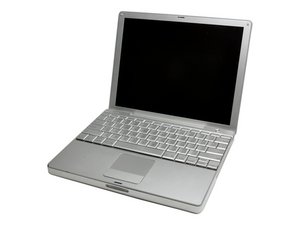
Hi, I have recently acquired a second hand powerbook, when I got it no airport networks can be seen on the drop down menu.
I checked the airport antenna cable and it was damaged so to save any hassle I have replaced the whole antenna unit with a brand new one, I have also double checked the airport card itself with another one I know works. The mac sees the card, but still cannot see any networks! I have got access to several and all appear on another powerbook.
1
Score
Sarabian
125
Answered
0
Score
mister790
2.1k
Answered
0
Score
Sarabian
125
Answered
0
Score
rdklinc
15.3k
Answered
This is probably obvious, and it sounds like you know what you're doing, but make sure the connector is firmly plugged into the airport. Sometimes it feel like it's attached, but then if you apply more pressure you get another "click" when it goes all the way in, and that definitely affects reception. Other than that, if you're trying a known-good card, I'm not sure what would be the problem, because you've replaced all the hardware. Have you done a fresh install of the OS? I've seen machines with gunked-up VPN settings that had wireless problems until the network config was reset. Also, I've seen machines with 10.5.0, i.e. machines that were not patched to the latest OS revision that could not see the wireless card or otherwise had odd wireless issues.
0
Score
bac
5.1k
Answered
just read your last post about the PB not going to sleep and I had this ultra-obvious idea I don't think anybody has suggested here yet, not sure if you have already tried....
have you tried resetting both the PRAM and the PMU?
just a thought. the reed switch would be input to the PMU to control sleep, perhaps reed switch is ok but PMU and/or the PRAM is in some weird state that somehow is affecting sleep and AirPort functions??
maybe crazy idea, but if you haven't done so already give it a try
-1
Score
thefax
59
Answered
Hi, when i replaced the airport antenna I also put in a new hard drive which I installed 10.4.1 on to so I doubt this would be the problem. Is there anyway it could be a problem where the airport card meets the logicboard? If so any ideas how I could fix it?
-1
Score
thefax
59
Answered
Have tried all the things above but still no networks showing, I have replaced the airport antenna inside the mac with a new unit, I have checked the airport card by swapping it with one I know definately works on another machine. I have wiped and re-instaleld the OS and checked for any damage ie bent pins in the card slot.. and STILL get no networks showing, the mac sees the card no problem but just cannot see any networks!!! HELP!!
Also, I know you said you have tried another Airport Extreme, but there are a lot of bad ones out there and it's conceivable that you are unlucky enough to have two bad cards. If you're not ready to throw in the towel, you might want to try another Extreme that you have 100% absolutely seen with your own eyes working and having a strong signal on another PowerBook.
-1
Score
thefax
59
Answered
The trouble with those usb sticks is they are prone to snapping and breaking which is why I really need the internal one to do it's job.
The other airport card that I tried definately works (see original post) it is currently in my other laptop talking to all the networks in the house and a work a treat so I know there are no issues with either card as I have tried them in the laptop that does work and they both see all networks fine.
-1
Score
thefax
59
Answered
This is a right mystery and is really starting to bug me. I cant think waht it could be, does anyone else have any ideas?
thefax,